
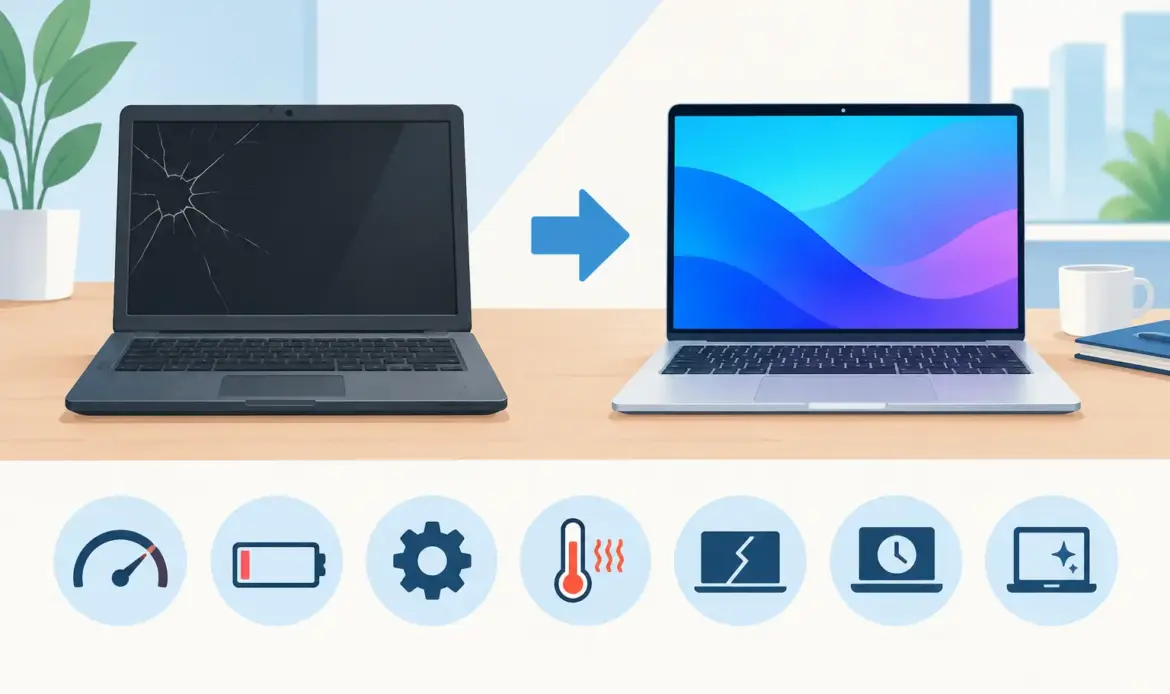
A laptop that takes ten minutes to start, dies at 40% battery, or freezes in the middle of an assignment can make every task feel like an emergency. If you are asking, “when should laptop be replaced?” the answer is not always “right now.” Many problems that seem fatal are repairable, often for far less than the cost of a new computer.
The smart move is to look beyond age alone. A professional diagnosis can reveal whether your laptop needs a battery, charging port, storage upgrade, screen repair, or more serious work. Here are the signs that help separate a laptop worth rescuing from one that has reached the end of its practical life.
When Should a Laptop Be Replaced?
Most laptops last about four to seven years, but that range is only a starting point. A carefully used laptop with a newer solid-state drive may stay useful well beyond that. A heavily used budget model might struggle after just a few years.
Replacement makes sense when the device can no longer handle the programs you need, its repair cost is too close to the cost of a dependable replacement, or it has repeated major hardware failures. It is also time to move on when the operating system no longer receives security updates and the laptop cannot run a supported version.
Before making that call, consider what changed. A computer that became slow overnight may have a failing drive, malware, overheating, or a software issue. Those are very different from a laptop that has been gradually outmatched by modern work, school, or gaming demands.
1. It Cannot Keep Up With Your Daily Work
A few seconds of delay is frustrating. A laptop that cannot reliably open a browser, video meeting, spreadsheet, or school portal is costing you time every day. If basic tasks trigger constant freezing, loud fan activity, or error messages, the machine needs attention.
Still, slow performance does not automatically mean replacement. Older laptops often get a major second wind from more memory, a solid-state drive upgrade, an operating system cleanup, or a cooling repair. Replacing a worn hard drive with an SSD can dramatically improve startup and loading times on many compatible models.
Replacement becomes more likely if the processor and memory cannot support the software you need, especially when the system has soldered components that cannot be upgraded. For a student using online learning tools, a remote worker managing video calls, or a small business owner running point-of-sale software, reliability matters more than squeezing out one more year.
2. The Battery Will Not Hold a Charge
A laptop battery is a consumable part. After hundreds of charge cycles, it loses capacity. If your computer only lasts an hour unplugged, shuts down unexpectedly, or shows a battery service warning, the battery may simply be worn out.
In many cases, a battery replacement is an excellent repair. It is usually far less expensive than buying a new laptop, and it restores the portability you paid for. A swollen battery is different. It can push up the keyboard or trackpad, separate the case, and create a safety concern. Stop using and charging the laptop if you notice swelling, heat, or a distorted case.
A bad battery alone rarely justifies replacing an otherwise capable computer. But if the battery is failing alongside a broken screen, charging issue, outdated software, and severe slowness, the combined cost may point toward replacement.
3. Repairs Are Becoming a Pattern, Not a One-Time Fix
Every device can have a bad day. A cracked screen after a drop or a charging port damaged by wear does not mean the laptop is done for. Those are common, targeted repairs.
The calculation changes when major issues keep stacking up. If you have already replaced the battery, keyboard, charging port, and storage drive, and now the motherboard is failing, it is reasonable to consider whether more repair money is wise. The same is true for persistent liquid damage. Corrosion can continue affecting components long after the initial spill, even if the laptop turns on again.
A useful rule of thumb is to compare the full repair estimate with the cost of a replacement that meets your real needs. If a repair costs roughly half the price of a suitable new or refurbished laptop, pause and evaluate the age, condition, and expected remaining life of your current machine. A less expensive repair can still be the better value when it gives you another year or two of dependable service.
4. The Screen, Hinge, or Case Has Physical Damage
Visible damage can look worse than it is. A cracked display, flickering panel, loose hinge, or damaged charging jack may be repairable with high-quality replacement parts. If the rest of the laptop performs well, repair is often the practical choice.
Pay closer attention when the chassis is bent, hinges are tearing away from the case, or the display has been damaged more than once. Structural damage can place stress on internal cables, the motherboard, and the screen. In those cases, an expert inspection helps determine whether a repair will truly last.
Do not keep forcing a stiff hinge or pressing on a warped screen to make it work. What starts as a small mechanical issue can become a much larger repair if cables or connectors are damaged along the way.
5. It Overheats, Shuts Down, or Makes Strange Noises
A laptop that feels hot is not always in danger. Video editing, gaming, and long video calls can push a system hard. But regular overheating during ordinary browsing or document work is a warning sign.
Dust buildup, blocked vents, failing fans, dried thermal material, and background software can all raise temperatures. A qualified technician can diagnose the cause and may be able to restore stable performance with cleaning and targeted repair.
Repeated shutdowns are more serious. They can point to overheating, battery trouble, a failing power circuit, or motherboard damage. Clicking or grinding noises may indicate a failing hard drive, which creates a different kind of emergency: protecting your files. Back up important documents, photos, tax records, and business files immediately if the laptop starts making unfamiliar mechanical noises.
6. Your Laptop Cannot Run Secure Software
Security support is not glamorous, but it is a major replacement factor. If your laptop cannot receive current operating system updates, browser updates, or security patches, it becomes more vulnerable to malware and account theft.
Sometimes the obstacle is software configuration or limited storage, not the laptop itself. Other times, the hardware is simply too old to support a current operating system. For a computer used for banking, work accounts, school access, or family photos, unsupported software is a serious reason to plan a replacement.
You do not have to wait until the device fails completely. Replacing an unsupported laptop on your schedule gives you time to transfer files, choose the right model, and avoid the stress of a last-minute computer emergency.
7. The Laptop No Longer Fits What You Need
Your needs can outgrow a laptop before its parts fail. A basic computer that handled email and web browsing may not be enough for graphic design, engineering software, streaming production, modern games, or a growing home business.
This is where replacement can be an upgrade rather than a surrender. More memory, faster storage, better battery life, a brighter screen, and newer ports can remove everyday friction. But buy for your actual workload, not just the biggest numbers on the shelf. A student writing papers needs something different from a gamer or a professional editing large video files.
Repair First, Replace With Confidence
Before you replace a laptop, protect your data. Back up files to an external drive or a trusted cloud account, sign out of personal accounts if the device is being recycled, and keep passwords or recovery codes available for the new setup. If the laptop will not start, do not assume the files are gone. Data recovery may still be possible depending on the failure.
For Metro Detroit customers, Phone-Medics can inspect the laptop, identify the real issue, and explain the repair path in plain language. A certified technician can help you avoid replacing a device over a problem that has a practical fix.
The best time to replace a laptop is not when frustration first hits. It is when the cost, security, reliability, and performance no longer add up. Until then, a skilled repair may be the rescue that keeps your work, school, and everyday life moving.