
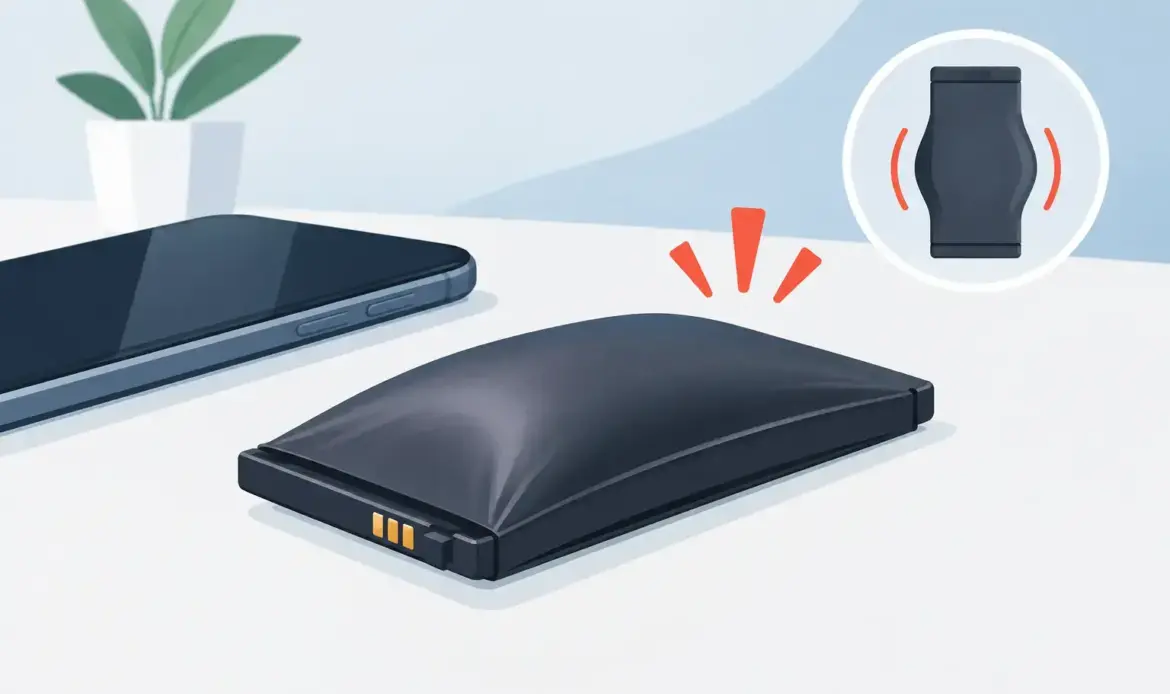
A phone that suddenly will not sit flat on a table is not having a minor bad day. If its screen is lifting, the back panel is separating, or the case looks puffed up, stop using it. Those can be battery swelling signs, and a swollen lithium-ion battery needs prompt, careful attention – not another charging cycle.
Your phone, tablet, laptop, smartwatch, and gaming handheld all rely on compact batteries that store a surprising amount of energy. Most work safely for years. But when a battery starts to fail, the pressure building inside can damage the device from the inside out. Acting early can protect your data, your device, and your home.
What a Swollen Battery Looks and Feels Like
Battery swelling happens when chemical reactions inside a lithium-ion battery create gas. The battery pouch or cell expands because that gas has nowhere else to go. It is not normal wear, and it will not shrink back into place on its own.
The clearest warning is a visible change in the device’s shape. On a phone, you may see a screen pulling away from the frame or a back glass panel separating at the edges. A tablet may rock on a flat surface. On a laptop, the trackpad or keyboard may rise, feel difficult to click, or look uneven. A bulge near the bottom case is another reason to take the device out of service.
Sometimes the clues appear before the shape change is obvious. A case that suddenly fits too tightly, buttons that feel misaligned, a screen with light bleeding around the edges, or new gaps along a device seam can all point to pressure from inside. Do not press on the screen or back panel to test it. Pressure can puncture a compromised battery.
Battery Swelling Signs That Need Fast Action
Not every battery problem means swelling. Fast battery drain, random shutdowns, and slow charging can result from ordinary battery aging, software issues, or a faulty charging port. But when those problems show up alongside physical changes, treat the situation as urgent.
Watch for these four warning signs:
- The display, back cover, keyboard, or trackpad is lifting or separating from the device.
- The device is visibly warped, wobbles on a flat surface, or no longer fits its case correctly.
- It becomes unusually hot while charging or doing light tasks, especially around a bulging area.
- You notice a sweet, metallic, or chemical odor, hissing, smoke, discoloration, or leaking material.
Heat, odor, smoke, and leaking are the most serious symptoms. Move people and pets away from the area, avoid breathing fumes, and call emergency services if there is smoke, fire, or an immediate danger. Do not try to handle a burning battery yourself with a household repair approach.
A swollen battery can also cause secondary damage that looks like a separate repair need. The expanding cell may crack a screen, bend a frame, break display cables, or interfere with buttons and charging components. The sooner it is diagnosed, the better the chance of limiting that extra damage.
What to Do if You Think Your Battery Is Swelling
First, stop charging the device. Unplug it from the wall, computer, power bank, or vehicle charger. If it is safe to do so without squeezing, bending, or opening the device, power it down.
Place it on a nonflammable surface away from paper, fabric, direct sunlight, heat vents, and anything that could catch fire. A ceramic tile, metal tray, or clear concrete surface is a better temporary spot than a bed, couch, desk drawer, or car. Keep it dry, and do not leave it inside a hot vehicle.
Do not keep using it until the battery is repaired or professionally evaluated. Continuing to use a swollen phone for “just one more call” can put more stress on the battery and its damaged housing. If you need information from the device, a repair technician can advise you on the safest options for data recovery or transfer.
There are a few things never to do. Do not puncture, crush, bend, freeze, disassemble, or tape down the swollen area. Do not put the battery in a plastic bag, garbage can, recycling bin, or regular household trash. And do not attempt to flatten the device by pressing the screen or back cover into place.
Why Batteries Swell
Lithium-ion batteries wear down with charge cycles, heat exposure, and time. A battery that is several years old has had more opportunity for its internal materials to degrade. That does not mean every older device will swell, but age raises the odds.
Heat is a common accelerator. Leaving a phone in a hot car, gaming for long periods while charging, using a laptop on a blanket that blocks ventilation, or charging near a heat source can all increase strain. Physical damage matters too. A hard drop, bent frame, water exposure, or poorly performed past repair can affect the battery or the protective layers around it.
Charging equipment plays a role, but the answer is not always as simple as blaming any non-brand charger. A quality charger and cable that meet the device’s specifications can work safely. The bigger risks come from damaged cables, counterfeit accessories, unstable power sources, and chargers that run unusually hot. If a charging setup makes your device hot enough to be uncomfortable, unplug it and have it checked.
Can a Swollen Battery Be Repaired?
The swollen battery itself should be replaced, not revived. A professional repair begins with a careful inspection of the device, including the screen, frame, connectors, and charging system. The technician then removes the damaged battery using proper tools and installs a high-quality replacement part suited to that model.
The final repair cost and turnaround depend on the device and any damage the swelling caused. A battery replacement may be straightforward when caught early. If the pressure has broken the display, bent the enclosure, or damaged internal cables, more work may be needed. That is why waiting usually costs more than getting a suspicious device inspected quickly.
For Metro Detroit device owners, Phone-Medics can assess swollen batteries in phones, tablets, laptops, and other personal tech with the careful, hands-on diagnosis these repairs demand. Certified technicians can identify whether the issue is limited to the battery or whether your device needs additional rescue work before it returns to daily use.
Safe Disposal Matters Too
Even after removal, a swollen lithium-ion battery is not regular trash. It needs to go through an appropriate battery recycling or hazardous-waste channel that can handle damaged rechargeable batteries. Repair professionals can often explain the proper local next step, especially when a battery is too unstable for ordinary drop-off handling.
Do not store a swollen device for months while deciding what to do. A drawer full of old electronics may seem harmless, but heat and pressure do not improve with time. If you notice a device changing shape, treat that small gap under the screen as a call for help. A quick professional check can keep a battery problem from becoming the emergency your device never needed.