
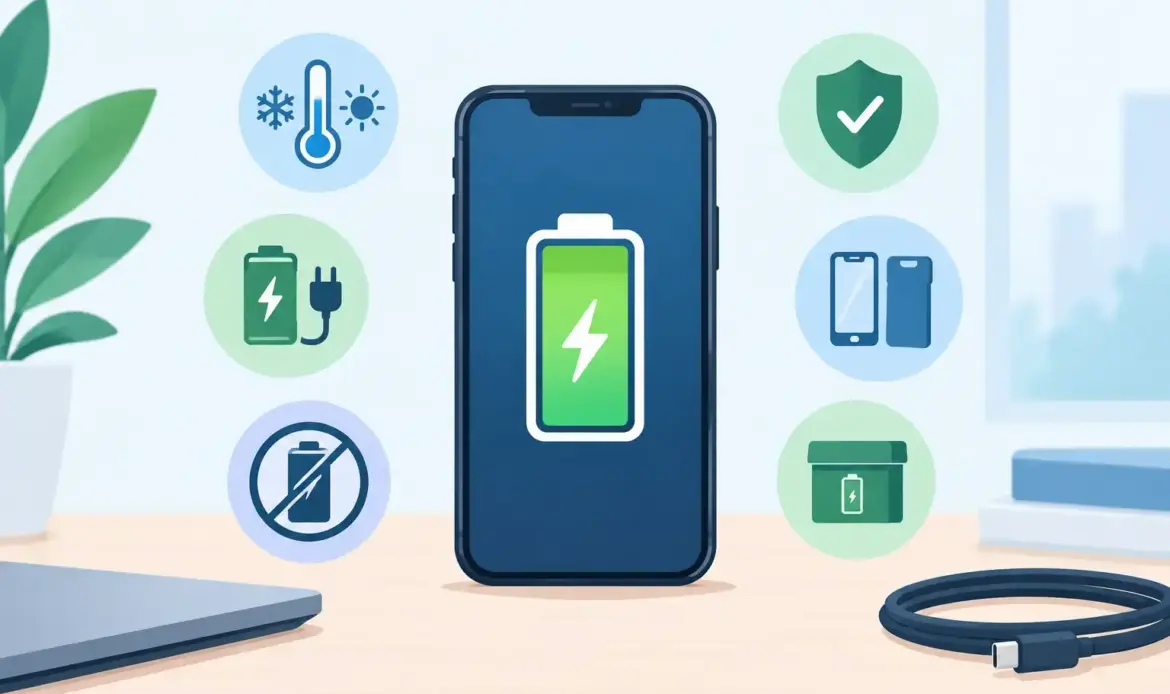
A phone that suddenly feels thicker, a tablet screen lifting at one corner, or a laptop trackpad that no longer clicks correctly can point to one urgent problem: a swollen battery. Knowing how to prevent battery swelling helps protect the devices you rely on for work, school, calls, games, and everyday life. It can also help you catch trouble before a failing battery turns into a damaged screen, case, or charging system.
Most modern phones, tablets, laptops, and handheld gaming devices use lithium-ion batteries. They are powerful and compact, but they do not last forever. As a battery ages, breaks down internally, or gets exposed to too much heat, gas can build up inside its sealed pouch. That buildup causes the battery to expand.
A swollen battery is not a cosmetic issue to ignore. It needs careful handling and a professional diagnosis. The good news is that many of the habits that extend battery life also reduce the conditions that make swelling more likely.
How to Prevent Battery Swelling With Better Charging
Your charging routine has a real effect on battery health. Lithium-ion batteries are built to handle regular charging, so you do not need to wait until your device reaches 0% before plugging it in. In fact, repeatedly draining a battery to empty can add stress over time.
For most devices, charging somewhere in the middle is easier on the battery than constantly pushing it from empty to full. If your phone supports an optimized or adaptive charging feature, turn it on. These settings learn your schedule and may hold the charge near 80% until closer to the time you normally unplug it.
Leaving a device plugged in overnight is usually managed safely by modern charging systems, but heat changes the equation. A phone charging under a pillow, inside a packed bag, or on a soft couch cushion cannot release heat properly. The same goes for a laptop charging on a blanket. Give your device a hard, open surface where air can move around it.
Use a charger and cable made for your device, preferably the original equipment or a reputable, properly certified replacement. Cheap, damaged, or poorly made charging accessories can deliver inconsistent power or generate unnecessary heat. A frayed cable, bent connector, loose charging port, or charger that gets unusually hot is a reason to stop using it.
Fast charging is convenient, especially when your battery is running low before work or a school day. It is generally safe when you use quality equipment, but it creates more heat than slower charging. If your device is already warm or you are charging it for several hours, standard charging may be the gentler option.
Heat Is the Battery’s Biggest Enemy
Heat speeds up the chemical aging process inside a lithium-ion battery. One hot afternoon in a car may not immediately ruin a phone, but repeated heat exposure can shorten battery life and increase the risk of failure.
Do not leave a phone, tablet, laptop, or gaming device in a parked vehicle. Even on a mild Michigan day, the temperature inside a closed car can climb fast. Keep devices out of direct sunlight at the beach, on a dashboard, or beside a sunny window. If your phone overheats while navigating, gaming, recording video, or charging, take off a heavy case and let it cool down before using it again.
A warm device after demanding use is normal. A device that becomes too hot to comfortably hold, shuts down repeatedly from temperature warnings, or overheats during basic tasks deserves attention. Continuing to charge or heavily use it while it is hot can push a struggling battery further in the wrong direction.
Laptop owners should also keep cooling vents clear. Dust buildup, a failing fan, or a laptop used constantly on fabric can trap heat around the battery and internal components. A repair shop can diagnose whether the heat is coming from the battery itself, the charging circuit, or another hardware issue.
Store Spare and Unused Devices the Right Way
A drawer full of old phones is common, but it is not always harmless. Devices left unused for months or years can develop battery problems, particularly when stored completely drained or fully charged in a hot area.
If you are putting away a phone, tablet, handheld console, or laptop for an extended period, charge it to roughly 40% to 60% first. Turn it off, store it in a cool, dry place, and check it every few months. If the battery level has dropped significantly, charge it back into that middle range.
Avoid basements with moisture problems, hot garages, attics, cars, and windowsills. Moisture can corrode electronics, while extreme heat and cold can damage the battery cells. If you find an old device that looks bowed, has a raised screen, or will not sit flat, do not try to revive it by charging it.
Protect the Battery From Physical Damage
Drops can do more than crack a screen. A hard impact may damage the battery or the components around it, even if the device appears to work afterward. A quality case cannot prevent every problem, but it can reduce the force of everyday drops and help protect the device’s frame.
Water exposure is another concern. Water can cause corrosion that affects the battery connection, charging port, and power-management components. Do not assume a device is safe just because it turns on after getting wet. If it was submerged, exposed to a drink spill, or started acting strangely after moisture exposure, power it down and have it inspected.
Battery swelling can also happen after a repair performed with low-quality parts or improper installation. A replacement battery should fit precisely, have proper protection circuitry, and be installed without puncturing, bending, or pinching it. This is one repair where experience and quality parts matter.
Know the Warning Signs Before Swelling Gets Worse
Battery swelling can develop slowly, so the clues are easy to dismiss. Watch for a screen that is separating from the frame, a phone back that is lifting, a tablet that rocks on a flat table, or a laptop case that no longer closes evenly. On a laptop, you may notice a raised keyboard, stiff trackpad, or a trackpad that will not click.
Other symptoms can include rapid battery drain, random shutdowns, unexpected overheating, trouble charging, or a device that behaves normally one day and strangely the next. These signs do not always mean the battery is swollen, but they are worth checking before more damage occurs.
Never press a lifted screen back into place, squeeze a bulging device, puncture the battery, or keep charging it to see whether it improves. Do not throw a swollen lithium-ion battery in household trash. If you can safely turn the device off without forcing anything, do so. Place it on a nonflammable surface away from heat, pets, and anything that could catch fire, then arrange for professional help.
When a Battery Replacement Is the Smart Rescue
Batteries wear out. Even with excellent habits, they have a limited lifespan. Many phone batteries begin to show noticeable capacity loss after a few years of regular use, while heavy use, heat, and frequent fast charging can shorten that timeline. Replacing an aging battery before it swells can preserve the rest of the device and often costs far less than replacing the phone, tablet, or laptop.
The right repair depends on the device and the damage. A swollen phone battery may have pushed against and weakened the screen. A swollen laptop battery may affect the trackpad, bottom case, or internal cables. Certified technicians can inspect the full device, remove the compromised battery safely, and check for related damage instead of treating the battery as an isolated problem.
At Phone-Medics, our technicians treat a swollen battery like the device emergency it is. We can diagnose the issue, use high-quality replacement parts, and help bring your device back to life without guesswork.
Your best defense is simple: keep devices cool, charge them with quality equipment, avoid storing them at extreme charge levels, and take physical damage seriously. If your device starts to bulge, lift, overheat, or feel different in your hand, trust that instinct and get it checked before a small warning becomes a bigger rescue.