
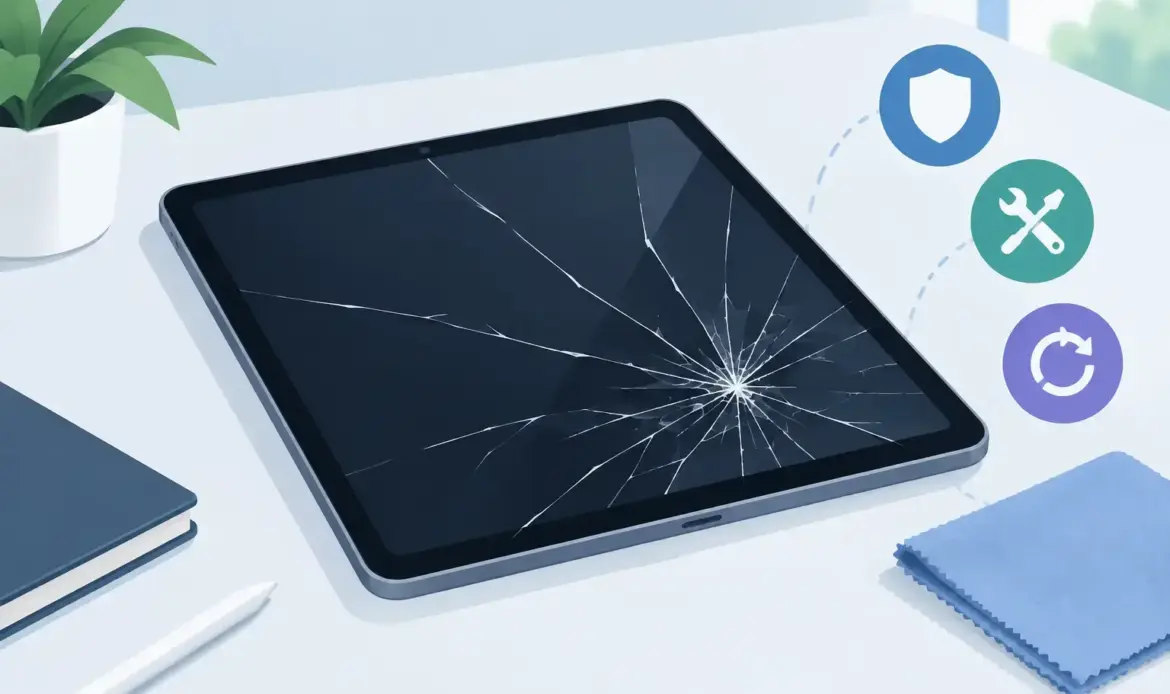
A tablet can go from “one small crack” to a screen full of sharp lines after one ride in a backpack or one more drop on the couch. So, can cracked tablet glass spread? Yes. Once the glass has been damaged, everyday pressure, temperature changes, and normal handling can make the crack travel across the screen.
The good news is that a spreading crack does not always mean the whole tablet is lost. Acting early can protect the display underneath, keep glass out of your fingers, and often make the repair more straightforward. Think of it as getting your device to the emergency room before a small injury becomes a bigger rescue.
Why Cracked Tablet Glass Spreads
Tablet screens are built in layers. The outer glass protects the touch-sensitive digitizer and the display panel below it. When the outer layer cracks, the damage creates a weak point. Pressure that the glass once distributed evenly now concentrates along the crack line.
That is why a tablet may look unchanged on day one, then develop new branching cracks a few days later. Picking it up one-handed, setting it on an uneven surface, or slipping it into a tightly packed bag can flex the frame slightly. That tiny amount of movement may be enough to push an existing crack farther.
Heat and cold can also play a part. Glass, metal, and plastic expand and contract at different rates. Leaving a cracked tablet in a hot car or taking it from freezing outdoor air into a warm house can put extra stress on an already compromised screen.
The crack is especially likely to spread if it starts near an edge or corner. Corners absorb a lot of force in a drop, and damage there can affect the frame that supports the screen. A crack that reaches the bezel or crosses the display is more than a cosmetic issue.
Can Cracked Tablet Glass Spread Into the Screen?
It depends on what was damaged in the first place. Some tablets have a separate outer glass layer, while others use a bonded display assembly. In either design, a crack in the glass can eventually affect the layers underneath.
At first, you may only see a visible line while the picture and touch response still work normally. Over time, the device can develop problems such as dark blotches, colored lines, flickering, dead areas, or touch commands that register in the wrong place. If the display underneath is damaged, the tablet may still turn on but become frustrating or impossible to use.
Moisture is another concern. A cracked screen no longer seals as well as an intact one. Even a small amount of rain, a spill, humid bathroom air, or liquid residue on a countertop can find its way through the damaged area. Once moisture reaches internal components, repair needs can grow beyond a screen replacement.
A crack will not always spread immediately. Some devices stay usable with the same crack for months. But there is no dependable way to predict whether that crack will remain stable, especially if the tablet is used daily by a student, child, employee, or family member.
Signs Your Tablet Needs Attention Now
A hairline crack that stays at the edge and does not interfere with touch may give you a little breathing room. A screen with loose glass, sharp edges, display discoloration, or touch trouble should move to the top of the repair list.
Watch for these warning signs:
- New crack lines appearing after normal use
- Glass splinters lifting away from the screen
- Black spots, bright lines, flashing, or an ink-like stain under the glass
- Touch areas that stop responding or activate on their own
- A bent frame, swollen battery, or screen that is lifting from the tablet
The last two signs deserve special attention. A bent frame can keep a new screen from sitting correctly until the underlying damage is addressed. A lifting screen may point to a swollen battery, which should be professionally inspected rather than pressed back into place.
What to Do While You Arrange a Repair
The safest move is to stop putting extra stress on the tablet. Use a case that supports the edges, avoid carrying it loose in a bag, and keep it away from moisture and extreme temperatures. Do not set heavy books, laptops, or other devices on top of it.
A screen protector can help contain tiny loose shards and make the surface safer to touch for a short time. It is a temporary shield, not a repair. If pieces of glass are actively coming off, avoid using tape directly on a damaged display or peeling away loose fragments yourself. That can worsen the break or damage the screen layers below.
Back up important files as soon as the tablet is stable enough to use. Photos, school notes, work documents, app data, and saved passwords are much easier to protect before touch failure or display damage sets in. If the tablet has become difficult to operate, a repair technician can help evaluate the screen and determine the best path forward.
It is also smart to avoid do-it-yourself screen replacement kits unless you are comfortable with delicate electronics repair. Modern tablets often use strong adhesive, thin display cables, and tightly packed components. A rushed repair can damage the battery, charging port, cameras, or display connector, turning a cracked-glass repair into a more involved job.
When Repair Makes More Sense Than Replacement
Screen repair is often the practical choice when the tablet is otherwise working well, holds a charge, and still meets your needs. This is common with tablets used for school, streaming, recipes, work apps, video calls, or keeping the kids entertained on long drives.
Replacement may be worth considering when the device is already very old, has repeated charging problems, a failing battery, serious frame damage, or major internal liquid damage. The key is getting a clear diagnosis instead of guessing based on the crack alone.
A professional inspection can identify whether the repair requires outer glass service, a full screen assembly, frame work, or attention to hidden damage. Quality replacement parts and careful installation matter because a new screen should restore more than appearance. It should fit properly, respond accurately to touch, and protect the device for the miles ahead.
For Metro Detroit tablet owners, Phone-Medics approaches cracked screens like the urgent device problem they are. Certified technicians can assess the damage, explain the repair options plainly, and help bring a tablet back to life without making you navigate the problem alone.
Do Not Wait for the Next Drop
A cracked tablet screen is vulnerable, but it is not automatically a lost cause. The earlier you protect it from pressure, moisture, and further drops, the better your chances of avoiding display damage and a more complicated repair. Treat the crack like a warning light: back up what matters, handle the tablet carefully, and get it checked before one small line becomes the reason the whole screen goes dark.