
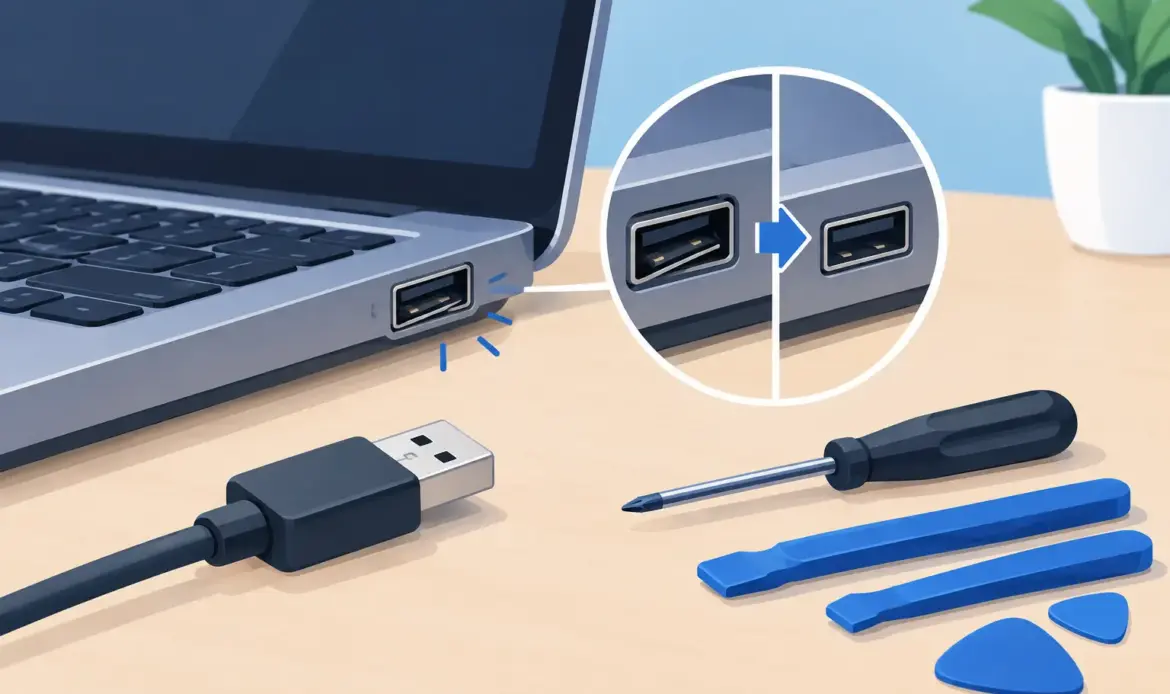
A charging cable should click into place and stay there. If you have to hold it at an angle, prop up your phone, or wiggle the plug until charging begins, it is time to fix loose USB port trouble before a minor annoyance turns into a no-charge emergency.
The good news is that a loose USB port does not always mean your device needs a major repair. Pocket lint, debris, a worn cable, or a damaged connector can all create similar symptoms. The key is knowing which problem you have – and avoiding a DIY move that bends a delicate pin or damages the charging board.
First, make sure the USB port is actually loose
Many phones, tablets, laptops, and gaming devices arrive with a port that feels loose, but the port itself is still securely attached. The cable is often being blocked by packed debris at the bottom of the charging cavity. Every trip through a pocket, purse, backpack, or car adds lint. Over time, that lint gets compressed into a firm layer that prevents the plug from seating fully.
Look into the port under a bright light. If the cable no longer goes in as far as it used to, or if you can see fuzz near the bottom, debris is a likely culprit. A cable that slips out with almost no resistance can also point to buildup rather than a broken port.
Try a second known-good cable and charging block before assuming the worst. Cable ends wear out, especially when they are bent, pulled, or repeatedly used while the device is charging. If one cable feels loose but another fits firmly, replace the cable and protect the port from further strain.
Safe checks before you try to fix a loose USB port
Power the device off if possible. Never insert a metal pin, paper clip, needle, knife, or other conductive object into a charging port. USB-C, Lightning, and Micro-USB ports contain tiny contact points that can bend, break, or short out. A quick poke can turn a cleaning issue into a component-level repair.
A dry, soft anti-static brush or a burst of controlled compressed air can help remove loose dust. Keep the device angled so debris can fall out rather than get driven deeper. If you use a nonmetal cleaning pick designed for electronics, work slowly and gently along the port walls, not directly against the center contacts.
Stop immediately if you feel resistance, see a bent pin, notice corrosion, or find that the cable only charges when pushed in one direction. Those are signs the issue may be mechanical, not just dirt. The safest next step is a professional diagnosis.
Signs that point to a damaged charging port
A damaged port usually gives more clues than a simple loose connection. The plug may visibly move inside the device, the device may connect and disconnect repeatedly, or charging may stop when the phone is set down. On a laptop, USB accessories may disconnect when the cable is bumped. On a game console controller, the port may charge only after the cable is held at a specific angle.
Heat is another warning sign. If the connector, cable tip, or area around the port gets unusually hot, unplug it. Continued charging through a compromised connection can damage the port, charging circuit, battery, or cable. Do not try to force a charger into a port that looks bent, blackened, corroded, or cracked.
Water exposure changes the situation, too. Even if the device seemed to dry out, corrosion can develop later and interfere with charging contacts. A port that was fine before a spill but is now loose, intermittent, or unresponsive deserves a close inspection from a technician.
Why forcing the cable makes the repair harder
When a port stops holding a cable securely, it is tempting to keep using it carefully until you have time for a repair. Unfortunately, “carefully” often turns into twisting the cable, pressing it upward, or leaving the device charging on a stressed connector overnight.
That pressure can break the port away from its solder connections on the logic board. In some devices, the charging port is part of a replaceable charging assembly. In others, it is soldered directly to the board and needs precision micro-soldering. The earlier the problem is addressed, the better the chance of keeping the repair simpler and more affordable.
Wireless charging can be a temporary option for compatible phones, but it is not a universal workaround. It will not restore data transfer, headphone adapters, wired accessories, or reliable charging on devices that do not support wireless power. It also does not solve the underlying port problem.
What a professional USB port repair involves
A proper repair begins with diagnosis, not guesswork. A technician checks the cable fit, examines the port under magnification, tests charging behavior, and confirms whether the problem is debris, damaged internal contacts, a failed charging assembly, battery trouble, or a board-level issue.
If cleaning resolves the issue, great. If the port is worn or broken, the repair method depends on the device. Some phones, tablets, laptops, and controllers need a replacement charging flex or daughterboard. Others require the damaged port to be removed and a new one micro-soldered onto the main board. That work calls for controlled heat, the right tools, and steady hands – not a generic repair kit on the kitchen table.
At Phone-Medics, certified technicians treat charging failures like the device emergency they can become. The goal is to restore a secure connection with quality parts and precise repair work, while checking for the hidden damage that can cause the same symptoms to return.
When repair makes more sense than replacement
For most people, a loose USB port is a repairable problem, not a reason to replace an otherwise useful device. That is especially true if the screen, battery, camera, and performance are still meeting your needs. Repair can preserve your photos, apps, settings, and familiar device without the cost and hassle of starting over.
It depends on the device’s age and condition. An older laptop with a failing battery, broken hinges, and multiple USB issues may need a broader repair conversation. But a newer phone with a single damaged USB-C port is often well worth saving. A clear diagnosis helps you decide based on the actual failure, not fear that your device is finished.
Keep the repaired port working longer
Once charging is restored, a few habits can help protect the connection. Use a cable that fits properly, avoid charging while the device is hanging from a cord, and pull the plug straight out rather than yanking the cable. Keep phones out of lint-heavy pockets when possible, and avoid leaving a charging cable connected in a car where it can be bumped or twisted.
If you notice the connection starting to loosen again, act early. A port that only charges at an angle is asking for help, and prompt attention can keep a small charging problem from sidelining the device you rely on every day. Let a skilled technician inspect it before one more forced connection turns a quick rescue into a bigger repair.