
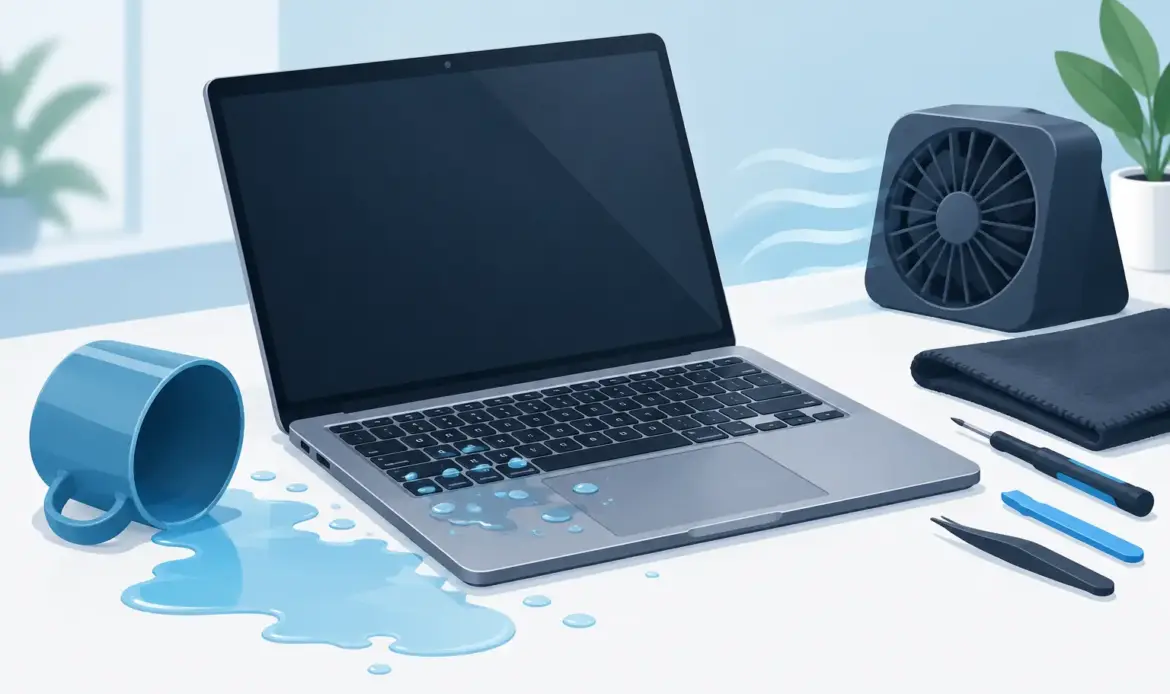
A spill does not have to be the end of your computer, but the first few minutes can decide whether liquid damaged laptop recovery is a straightforward repair or a much bigger rescue. Coffee beside a work laptop, water knocked over during homework, or a drink near the couch can send liquid through a keyboard and toward the components that keep your device alive.
The goal is simple: stop power, limit corrosion, and get a clear diagnosis before hidden damage spreads. A laptop may appear fine right after a spill, then refuse to charge, lose keys, overheat, or fail days later. Fast, careful action gives your device and your data the best chance.
What to Do Immediately After a Laptop Spill
First, disconnect the charger and remove any connected accessories. If the laptop is still running, shut it down as quickly as you can. Do not save files, close programs, or wait for the battery to drain. Every extra moment that electricity moves through wet components raises the chance of a short circuit.
Next, blot visible liquid from the keyboard, trackpad, ports, and exterior with a clean, absorbent cloth. Do not press hard on the keys. Pushing liquid deeper into the keyboard can move it closer to the motherboard.
Then position the laptop so liquid can drain away from the internal components. For many traditional laptops, carefully opening it partway and placing it keyboard-side down in an inverted V can help. Avoid shaking it. A hard shake can spread moisture to areas that were initially dry.
Finally, leave it powered off. This is the moment where patience protects your device. Turning it on “just to check” is one of the most common ways a recoverable spill becomes a failed motherboard.
What Not to Do During Liquid Damaged Laptop Recovery
The internet is full of quick fixes, but several popular ideas can create more problems than they solve. Rice is not a reliable drying method for laptops. It does not remove sticky residue or corrosion, and rice dust can make its way into ports and openings.
Do not use a hair dryer, place the laptop in an oven, or set it near a radiator. High heat can warp plastic parts, damage the display, weaken adhesives, and push moisture farther into the device. Compressed air can also force liquid into areas it has not reached yet.
Avoid taking the laptop apart unless you have the correct tools and experience. Modern laptops use delicate connectors, compact batteries, and tightly packed components. A damaged cable or stripped screw can add another repair to the job. The bigger concern is the battery: if it is wet or physically damaged, it needs careful professional handling.
Why a Laptop Can Fail Days After the Spill
Liquid damage is often a delayed emergency. Plain water can leave minerals behind. Coffee, soda, juice, energy drinks, wine, and milk are more dangerous because they leave sugars, acids, and residue that continue attacking metal contacts after the surface looks dry.
That residue can corrode keyboard circuits, charging connections, display connectors, USB ports, and motherboard components. A laptop may boot normally on day one, then develop random shutdowns, a flickering screen, an unresponsive keyboard, or charging trouble later in the week.
This is why drying alone is not always recovery. A proper assessment looks for residue and corrosion under shields, around connectors, and on the logic board. In some cases, precision cleaning and component-level micro-soldering can restore a damaged circuit without replacing the entire laptop.
The Right Repair Depends on What Was Spilled
Not every spill has the same outcome. A small amount of clean water that touched only the keyboard may require cleaning and a keyboard replacement. A full cup of sweet coffee that reached the motherboard calls for a more urgent and detailed inspection.
Timing matters too. A laptop brought in while it is still powered off generally has better odds than one that was repeatedly restarted after the spill. The model also matters. Some laptops have better internal shielding than others, while thin modern designs can place the keyboard, battery, and motherboard very close together.
A certified technician can identify whether the damage is limited to a replaceable part or has reached critical board-level components. That diagnosis keeps you from paying for unnecessary parts or replacing a laptop that still has a realistic path back to life.
Protecting Your Files and Personal Data
For many people, the laptop itself is replaceable. The work files, family photos, school assignments, tax documents, and business records inside it are not. If the device has been exposed to liquid, avoid repeatedly attempting to boot it to retrieve files. Those attempts can make a data recovery situation worse.
In some cases, a technician can safely remove and evaluate the storage drive separately. In others, the drive is soldered directly to the motherboard, which makes board repair even more valuable. The best approach depends on the laptop design and the extent of the liquid exposure.
Once your device is recovered, make a backup plan while the lesson is still fresh. Cloud storage, an external drive, or both can keep a future accident from becoming a data crisis. Backups do not prevent spills, but they remove much of the fear that comes with them.
Signs You Need Professional Laptop Spill Repair
If the laptop will not turn on, will not charge, smells burnt, becomes unusually hot, shows screen distortion, or has sticky or dead keys, stop using it and arrange an inspection. Those are clear signs that the spill may have reached more than the surface.
Even if the laptop seems normal, professional cleaning is worth considering when the spill involved soda, coffee, juice, alcohol, or any other liquid with residue. The goal is not simply to get the laptop powered back on. It is to prevent the slow corrosion that can take it out of service later.
At Phone-Medics, technicians approach liquid exposure like the device emergency it is. The process starts with careful diagnosis, not guesswork, followed by cleaning, repair, replacement parts when needed, and board-level work when a component-level solution makes sense. The right fix may be a new keyboard, a charging repair, or a more detailed motherboard rescue.
Can a Liquid-Damaged Laptop Be Worth Repairing?
Often, yes. The answer depends on the laptop’s age, its condition before the spill, the cost of repair, and the value of the data inside. A newer laptop used for work, school, gaming, or a small business is frequently worth a professional quote. A repair can cost far less than replacement, especially when it prevents the need to buy a new machine and rebuild your setup from scratch.
There are cases where replacement is the more practical choice, particularly with an older device that has widespread corrosion or several failing components. A trustworthy repair shop should explain that honestly. You deserve to know what is damaged, what can be repaired, and what the realistic next step looks like before you commit.
A laptop spill is stressful, but it does not have to turn into a lost week of work or a pile of missing files. Power it down, keep it off, skip the DIY heat tricks, and get it checked before hidden corrosion gets the final say. Fast action gives your laptop its best chance to get back where it belongs: working for you.