
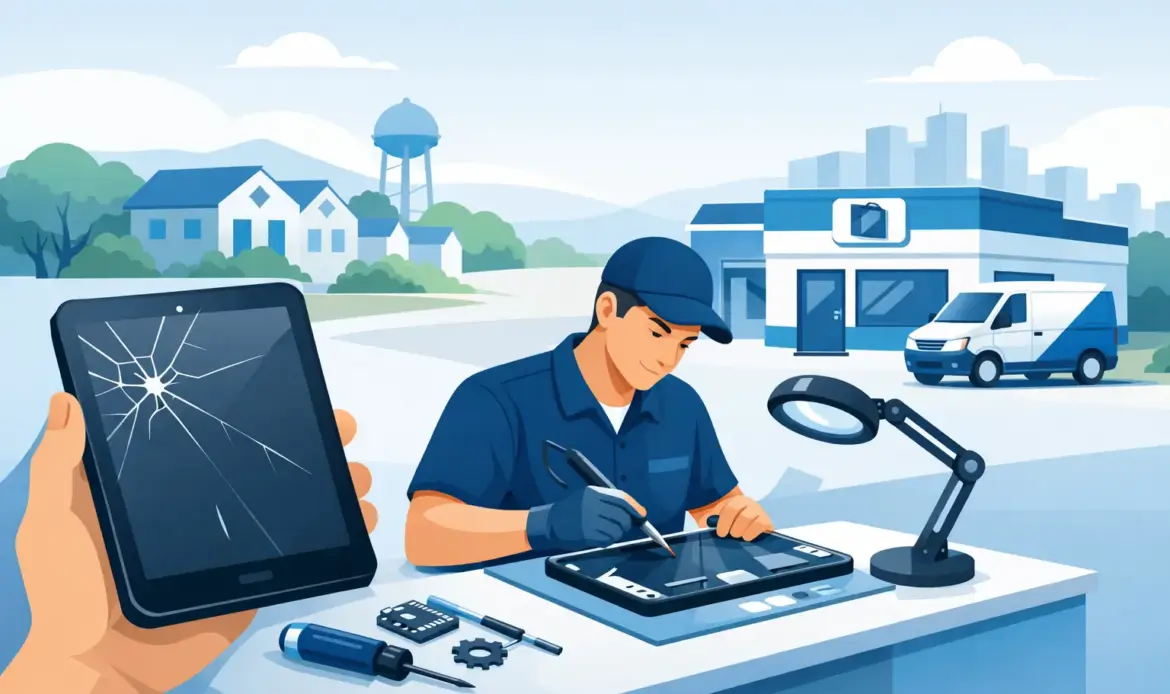
A tablet can go from essential to unusable in one hard drop, one drained battery, or one charging port that suddenly stops cooperating. When schoolwork, streaming, work files, family photos, or your child’s favorite apps are trapped behind a cracked screen or a black display, tablet repair Clinton Township residents can rely on should feel straightforward: find the problem, explain the options, and get your device back in action.
At Phone-Medics, tablets are treated like the important tools they are. Whether you carry an iPad, Samsung Galaxy Tab, Amazon Fire tablet, or another model, the goal is not to sell you a replacement before it is necessary. It is to rescue the device with careful diagnosis, quality parts, and skilled hands.
When Tablet Repair Clinton Township Makes Sense
A damaged tablet does not always need to be replaced. Many common problems can be repaired for far less than the cost of a new device, especially when the tablet is otherwise running well. A cracked front glass may look dramatic but can often be resolved with a screen repair. A battery that dies before lunch may need a replacement battery, not a whole new tablet.
Repair is especially worth considering when your tablet still has the storage, apps, and performance you need. This is common with devices used for remote work, classroom assignments, video calls, digital art, point-of-sale tasks, and home entertainment. Replacing a tablet also means setting up accounts, transferring files, re-downloading apps, and hoping everything makes the move cleanly. Repair can keep that disruption to a minimum.
The best choice depends on the device’s age, its overall condition, and the nature of the failure. An expert diagnosis helps separate a repairable problem from a device that has reached the end of its practical life.
The Problems We See Most Often
Cracked glass, broken screens, and display trouble
A shattered screen is the problem most people recognize immediately. But not every damaged screen behaves the same way. Sometimes the glass is cracked while the image and touch controls still work. Other times, the display shows black spots, colored lines, flickering, dead areas, or no image at all. A tablet may also turn on but refuse to register taps and swipes.
These symptoms can point to different damaged components. The glass, touch digitizer, and display panel may be separate parts on some models and combined into a single assembly on others. That is why a proper inspection matters. The repair should address what is actually broken, not just what is easiest to see.
Quality replacement parts and precise installation are critical. A tablet screen has to sit correctly in the frame, respond accurately to touch, and protect the internal components underneath. Rushing the job can create new issues, from poor touch response to a display that separates from the housing later.
Batteries that will not hold a charge
A healthy tablet battery should support your normal routine without forcing you to hunt for an outlet every few hours. If the battery percentage drops quickly, the device shuts off unexpectedly, gets unusually warm, or only works while connected to a charger, the battery may be worn out.
Battery problems can look like software trouble, and software trouble can sometimes look like battery failure. A technician should check the charging behavior and overall device condition before recommending a replacement. If the battery is the culprit, replacing it can give an older tablet useful life again.
Do not ignore a battery that appears swollen or pushes the screen away from the frame. Stop using the device and have it inspected promptly. A swollen battery needs careful handling, not a temporary fix with tape or a tighter case.
Charging ports and power failures
When a tablet will not charge, the cable is not always the villain. The charging port may be packed with lint, worn from repeated use, bent internally, or damaged after a drop. In other cases, the issue involves the battery, charging circuit, or motherboard.
Try a known-good charger and cable before assuming the worst. If the tablet still will not take a charge, charges only at a certain angle, or repeatedly connects and disconnects, it is time for professional diagnosis. Component-level work, including micro-soldering when appropriate, can sometimes save devices with deeper board-level faults.
Water damage and unexplained behavior
A spilled drink, wet backpack, bathroom accident, or rain-soaked trip can cause damage that is not immediately visible. A tablet may seem fine at first, then develop screen glitches, charging trouble, weak audio, corrosion, or complete power loss days later.
If a tablet gets wet, power it off as soon as possible. Do not plug it in, do not repeatedly try to turn it on, and do not rely on rice. Those steps can make a short circuit or corrosion problem worse. Fast professional assessment gives the device its best chance of recovery.
Repair or Replace? Make the Call With Real Information
The right decision is not always repair. If a tablet is very old, has major motherboard damage, and no longer receives the software support you need, replacement may be the smarter investment. The same is true when multiple costly problems appear at once.
Still, visible damage does not tell the whole story. A tablet with a broken screen and a solid internal system may be an excellent repair candidate. A relatively new tablet with a charging failure could be worth saving, particularly if it holds important files or is part of a family’s daily routine.
Before you replace it, consider the total cost of starting over. Include the price of the new device, a protective case, accessories, setup time, possible data transfer challenges, and the value of apps or files already on the tablet. A clear repair quote gives you a fair comparison instead of leaving you to guess.
How to Prepare Your Tablet for Service
If the device still powers on, back it up before bringing it in. Save photos, documents, notes, and app data through your preferred cloud service or computer backup. Repair professionals work carefully, but a backup is the best protection against an unexpected failure in any damaged electronic device.
Bring the tablet itself and, if charging is part of the problem, the charger and cable you normally use. That gives the technician useful clues about the issue. If you can safely remove a case or accessories, do so, but never force off a cracked screen protector or a warped case that may be holding damaged glass in place.
Be ready to describe what happened and when the symptoms began. Did it fall? Get wet? Stop charging after an update? Shut down at 40 percent battery? Small details can speed up diagnosis and help identify whether the problem is physical, electrical, or software-related.
For privacy, remove any information you do not need on the device if you can do so safely. You may also need to provide a passcode for testing after repair, depending on the issue. A trustworthy local repair team will explain why access is needed and handle your device with care.
Local Technicians, Not a Guess-and-Replace Counter
Your tablet carries more than hardware. It may hold school projects, work emails, family calendars, medical portals, creative files, and the games that keep a long car ride peaceful. That is why careful diagnosis matters as much as fast turnaround.
Certified technicians can identify the difference between a simple screen repair and a deeper issue hiding underneath. They can also help you understand trade-offs, including when a repair is the practical choice and when replacement makes more sense. That honest guidance is part of protecting your technology and your budget.
Do not let a cracked screen, weak battery, or stubborn charging port turn a useful tablet into a drawer ornament. Bring it in for a professional assessment, get a clear quote, and give your device a real chance to come back to life.