
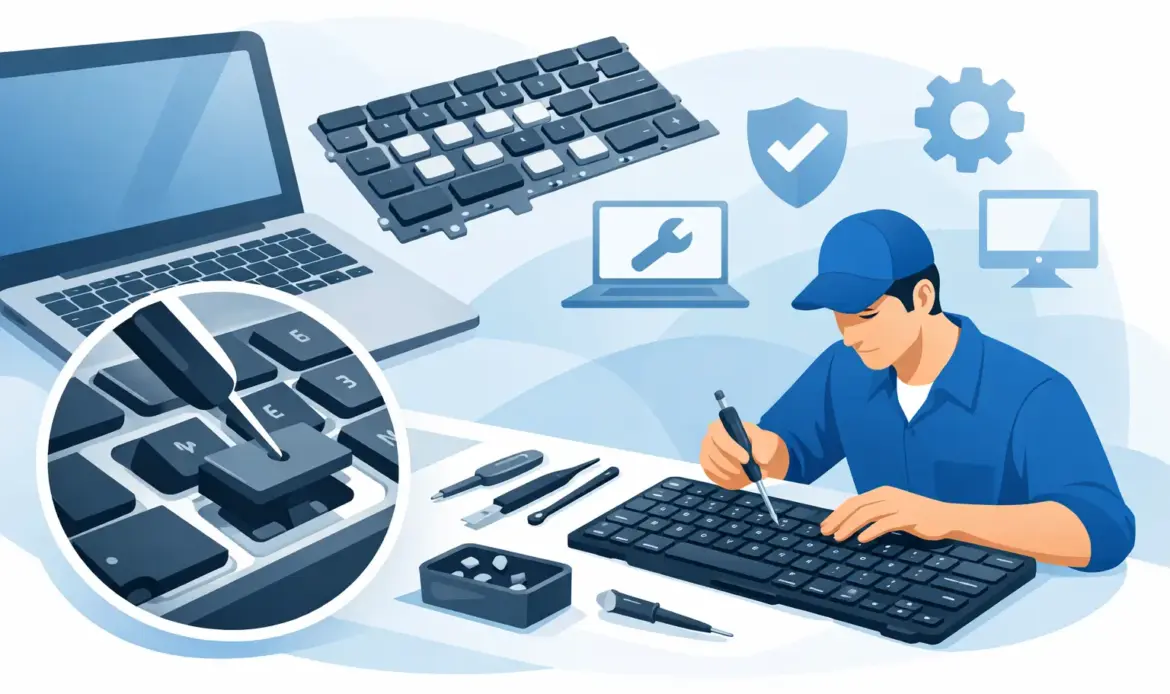
One key starts sticking, then the spacebar needs an extra press, and suddenly answering an email feels like work before the workday even begins. A laptop keyboard repair service is the right next move when your computer still has plenty of life left but the part you touch most has stopped cooperating. For Metro Detroit students, remote workers, parents, and small-business owners, a failing keyboard can turn a useful laptop into an urgent problem fast.
The good news is that keyboard trouble does not automatically mean you need a new laptop. The key is finding out whether you have a simple mechanical issue, liquid damage, a software setting problem, or damage hiding beneath the keyboard itself. A careful diagnosis protects your device, your budget, and the files you rely on.
What a Failing Laptop Keyboard Looks Like
Keyboard failure is not always dramatic. Sometimes it is a single missing keycap. Other times, several letters stop responding, a row types the wrong characters, or the keyboard begins entering letters without being touched. Those symptoms point to different causes, so the repair should never be a one-size-fits-all guess.
A single loose or broken key may be repairable if the keycap and the small retaining mechanism underneath are intact. But when keys feel mushy, require repeated presses, or quit in groups, the issue is often deeper in the keyboard assembly. Many modern laptops use thin, integrated keyboard parts that are designed to be replaced as a unit rather than rebuilt key by key.
A keyboard that types random characters may also have a software cause. Accessibility settings, a wrong keyboard layout, an outdated driver, or a connected external device can all create confusing behavior. That is why a technician should test the laptop before ordering parts. Replacing hardware will not solve a settings problem, and restarting a laptop will not rescue a keyboard damaged by a drink spill.
When You Need Laptop Keyboard Repair Service
The biggest warning sign is liquid. Coffee, soda, water, energy drinks, and even a small splash can travel through the keyboard openings and reach components below. A laptop may continue working immediately after a spill, then develop sticky keys, charging trouble, display issues, or complete failure days later as corrosion spreads.
If liquid reaches your keyboard, shut the laptop down, unplug its charger, and do not keep testing keys to see what still works. Avoid heat guns, ovens, or internet tricks that can make damage worse. Getting the device inspected quickly gives a repair team the best chance to clean residue, assess internal damage, and prevent a small accident from becoming a motherboard-level repair.
Physical damage deserves professional attention, too. A cracked keycap after a rough commute may be minor. A keyboard that lifted away from the frame, stopped working after a drop, or has a swollen area underneath is not. Battery swelling can push upward against a keyboard or trackpad, and it needs prompt service. That is a safety issue, not just a typing inconvenience.
The external keyboard test can help
Connecting a USB keyboard can be a useful short-term test. If the external keyboard works normally, the laptop itself may still be running properly and the built-in keyboard is likely the trouble spot. It is a practical backup for a deadline, but it is not always a long-term solution. Carrying extra gear defeats the purpose of a laptop, and it does nothing to address possible liquid or internal damage.
If an external keyboard also behaves strangely, the cause may involve software, operating system settings, or a deeper board-level fault. That distinction is exactly why a precise diagnosis matters.
What Professional Keyboard Repair Usually Involves
A proper repair begins with checking the symptoms, the device model, and the condition of the laptop around the keyboard. Technicians test individual keys, inspect for residue or physical damage, and confirm whether the issue is isolated to the keyboard, the trackpad area, or another component.
For many laptop models, replacing the keyboard means carefully opening the bottom case, disconnecting the battery, removing internal components, and separating the keyboard from the top case or palm-rest assembly. On certain models, the keyboard is secured with small screws or rivets and requires significant disassembly. On others, the keyboard, trackpad, and palm rest are part of one assembly. The right repair depends on how that specific laptop was built.
That design affects price and turnaround time. A standard keyboard replacement can be straightforward when the part is available. A premium ultrabook, gaming laptop, or device with an integrated aluminum top case may require more labor and a larger replacement assembly. The goal is not to sell the biggest repair. It is to install the correct high-quality part and restore a keyboard that feels right every time you type.
For liquid-damaged devices, repair may also include internal cleaning and inspection. If corrosion has reached connectors or the motherboard, advanced micro-soldering may be the best path to recovery. Not every spill needs that level of work, but ignoring corrosion can lead to repeat failures later.
Repair or Replace the Laptop?
This decision comes down to the laptop’s age, overall condition, repair cost, and what you need it to do. A keyboard repair makes strong financial sense when the laptop has a healthy screen, dependable battery, solid performance, and enough storage for your work or school needs. It is especially worthwhile when the keyboard is the only major problem.
Replacement may make more sense if the laptop has several expensive issues at once, such as a failing motherboard, cracked display, weak battery, and damaged keyboard. Even then, get a diagnosis first. A laptop that looks finished may only need a keyboard assembly and cleaning, while a device with a minor-looking spill may have hidden damage that changes the calculation.
Your files matter in this decision, too. Many people wait until a keyboard failure becomes total before seeking help, then discover that passwords, school projects, photos, and business documents are harder to access than expected. Having the device checked early can help protect both the laptop and the information stored on it.
Why DIY Keyboard Fixes Can Create Bigger Problems
Watching a keycap replacement video can make laptop repair look easy. It can be easy on some models, but the risk changes quickly once the keyboard requires internal access. Small plastic clips break, ribbon cables tear, screws get mixed up, and batteries can be damaged when a repair is rushed.
The wrong replacement part is another common problem. Laptop keyboards vary by model, layout, backlight compatibility, connector style, and color. A keyboard that looks nearly identical may not fit or function correctly. Aftermarket parts also vary widely in feel and reliability, which is why quality replacement components matter.
A professional repair is not just about putting new keys in place. It is about testing the finished device, confirming the keyboard layout works correctly, checking nearby components, and returning a laptop ready for real life. That includes work calls, late-night assignments, online bills, gaming sessions, and the dozens of small tasks that cannot wait for a keyboard to feel better on its own.
Bring Your Laptop Back to Life
At Phone-Medics, certified technicians treat keyboard trouble like the device emergency it can become. Whether you have one stubborn key, a spill-related failure, or a laptop that will not type at all, the first priority is a clear diagnosis and a repair plan that makes sense for your device.
Do not let a few dead keys slow down your whole day or gamble with a liquid-damaged laptop by waiting for it to recover. Bring it in for an honest assessment, protect your data, and give your laptop the rescue it needs to get back to work.