
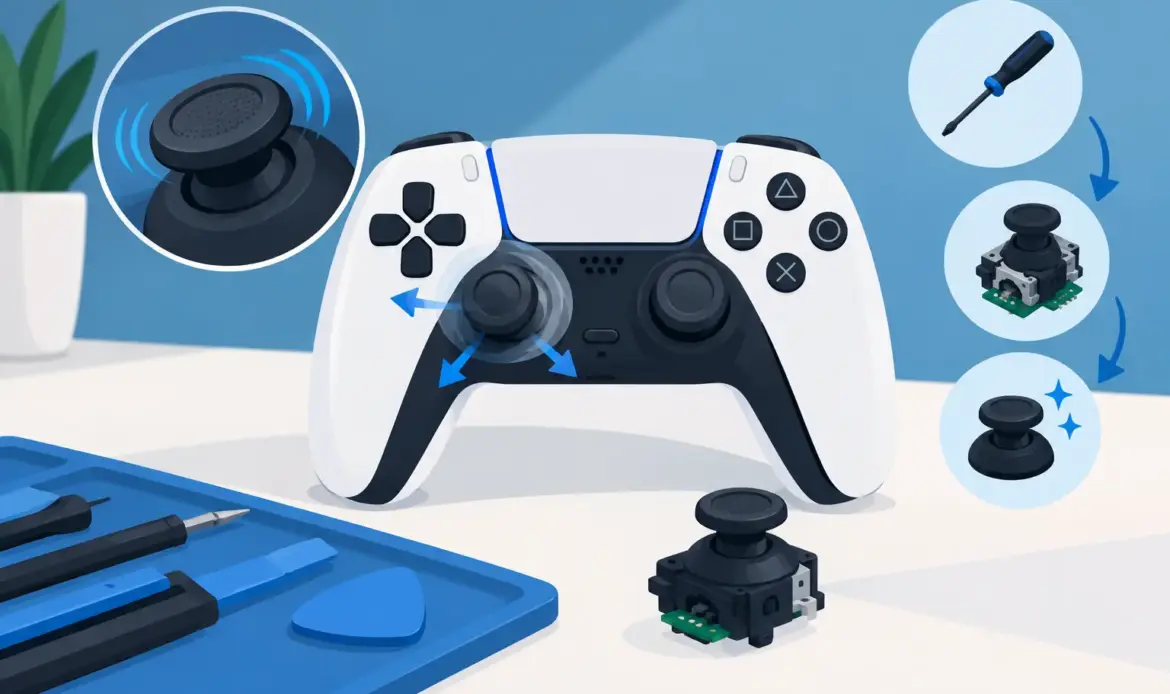
Your character starts walking into danger before you touch the stick. Your aim slowly drifts off target. Menus scroll on their own. Gaming controller drift can turn a controller you rely on into the weakest link in every match, race, and co-op session.
The good news is that drift does not always mean your controller is finished. Sometimes the issue is a simple software setting or surface debris. Other times, the analog stick module has worn down and needs a precise replacement. The right answer depends on the controller, the severity of the problem, and whether you want a temporary improvement or a repair built to last.
What Gaming Controller Drift Actually Means
Controller drift happens when an analog stick sends movement input even while it is sitting untouched in the center position. On screen, that can look like a character creeping sideways, a camera panning upward, a car pulling left, or a selection cursor jumping through menus.
Most modern controllers use a small analog stick assembly with sensors that measure the stick’s position. Every movement creates electrical signals the console or PC translates into game input. Over time, the internal components can wear, dust can interfere with contact points, or the center calibration can shift. The controller then reads a neutral stick position as slight movement.
Drift is often blamed on one bad match or one game setting, but it is usually a hardware problem when it appears across multiple games and devices. A dead zone setting may hide mild drift, but it does not repair worn parts inside the controller.
Why Analog Sticks Start Drifting
Analog sticks take constant punishment. They are pressed, rotated, clicked, shoved to the edge, and carried in backpacks or left near snacks, pets, and dusty entertainment centers. Even careful players can experience drift after enough playtime.
The most common cause is wear inside the potentiometers, the small sensors attached to the analog stick mechanism. Their contact surfaces gradually wear down through normal use. Once that happens, cleaning may offer little or no lasting improvement.
Debris and residue are another common culprit. Dust, skin oils, crumbs, and moisture can work their way beneath the rubber stick cap and into the assembly. A controller that began drifting after a spill, a drop, or a long stretch in storage may have contamination or physical damage rather than ordinary wear.
There can also be software-related causes. A firmware update, Bluetooth connection issue, incorrect calibration, or an aggressive in-game dead zone setting can make stick behavior feel wrong. That is why a quick diagnosis comes before opening the controller.
How to Tell Whether Drift Is the Real Problem
Before buying a replacement or trying a repair, test the controller in more than one place. Use the console’s controller settings when available, then try a second game with a different control scheme. If the movement appears everywhere, the controller is the likely source.
Watch for these signs:
- The cursor or character moves with your hands off the controller.
- Aim slowly creeps in one direction after you release the stick.
- Menus scroll or highlight options by themselves.
- One stick responds unevenly compared with the other.
- Increasing the dead zone only partly masks the issue.
Also rule out a low battery, unstable wireless connection, and a damaged charging cable if your controller behaves inconsistently. Connection problems can create delayed or erratic input, but true drift tends to repeat in the same direction.
Safe Fixes to Try Before a Hardware Repair
Start with the lowest-risk options. Update the controller firmware and restart the console or computer. If your platform offers calibration, run it carefully on a flat, stable surface. Calibration can correct a minor center-point error, although it will not restore a worn sensor.
Next, adjust the dead zone in the game or system settings. A dead zone creates a small area around the stick’s center where movement is ignored. Raising it can stop mild drifting from affecting gameplay, but there is a trade-off: the stick may feel less responsive, especially in shooters, racing games, and games that need precise movement.
External cleaning can help when dirt is the issue. Turn the controller off, disconnect it from power, and gently move the analog stick around its full range while using a small amount of electronics-safe isopropyl alcohol around the base. Let it dry completely before testing. Avoid soaking the controller, spraying liquid directly into it, or using household cleaners. Those shortcuts can move debris deeper inside or damage plastic and internal parts.
Compressed air may dislodge loose dust, but use it sparingly and keep the can upright. Blasting air into every opening can force moisture or debris where it does not belong. If cleaning changes the drift briefly but the problem returns, the internal sensor is likely worn rather than merely dirty.
Be cautious with online fixes that call for prying apart the controller, bending internal contacts, or flooding the stick module with cleaner. Modern controllers contain delicate ribbon cables, small screws, rechargeable batteries, and tightly packed components. One slipped tool can turn a drifting stick into a controller that will not power on or charge.
When a Controller Drift Repair Makes Sense
A professional repair is often the better move when the controller is otherwise in good shape, has special features you use, or costs enough that replacement feels wasteful. This is especially true for premium controllers and newer console controllers with adaptive triggers, haptics, or rechargeable batteries.
A proper analog stick repair is more than a surface cleaning. It may involve disassembling the controller, diagnosing whether the issue is the stick module or the circuit board, removing the failed component, and installing a quality replacement. On many models, that work requires precision soldering. The repair has to be clean and correctly aligned or new input problems can appear.
Phone-Medics can diagnose controller issues with the same careful, component-level mindset used to rescue phones, tablets, computers, and consoles. A qualified technician can help determine whether the controller is worth repairing before you spend money on parts or a full replacement.
Repair is not always the best value. If a basic controller has severe water damage, multiple broken buttons, a failing battery, and drift, replacement may be more practical. If drift is the only issue, a targeted repair can keep a familiar controller in the game and reduce unnecessary electronic waste.
Can You Prevent Gaming Controller Drift?
No controller lasts forever, but good habits can reduce the strain on its analog sticks. Keep food and drinks away from your gaming area, store controllers in a clean, dry place, and avoid tossing them onto couches, floors, or into crowded bags. A protective case is useful for travel, particularly when the sticks can be pressed against other gear.
Try not to force the stick hard against its outer edge during tense gameplay. It is easy to do in a close match, but repeated force adds wear to the internal mechanism. Cleaning around the stick base occasionally with a dry microfiber cloth also helps keep loose debris from building up.
If you notice mild drift early, do not wait until it makes games unplayable. Check settings, test the controller, and address the problem before you compensate with larger and larger dead zones. That habit can preserve the responsive feel that made the controller enjoyable in the first place.
Do Not Let a Small Input Problem Sideline Your Setup
A drifting controller is frustrating because it steals control at the exact moment you need it. Start with safe testing, firmware updates, calibration, and careful external cleaning. When those steps do not solve it, a precise hardware repair can be the difference between retiring a controller too soon and getting back to the games you play.
Your gear should respond when you tell it to – not before. If the stick keeps moving on its own, give it the expert diagnosis it deserves and get your game back under control.