
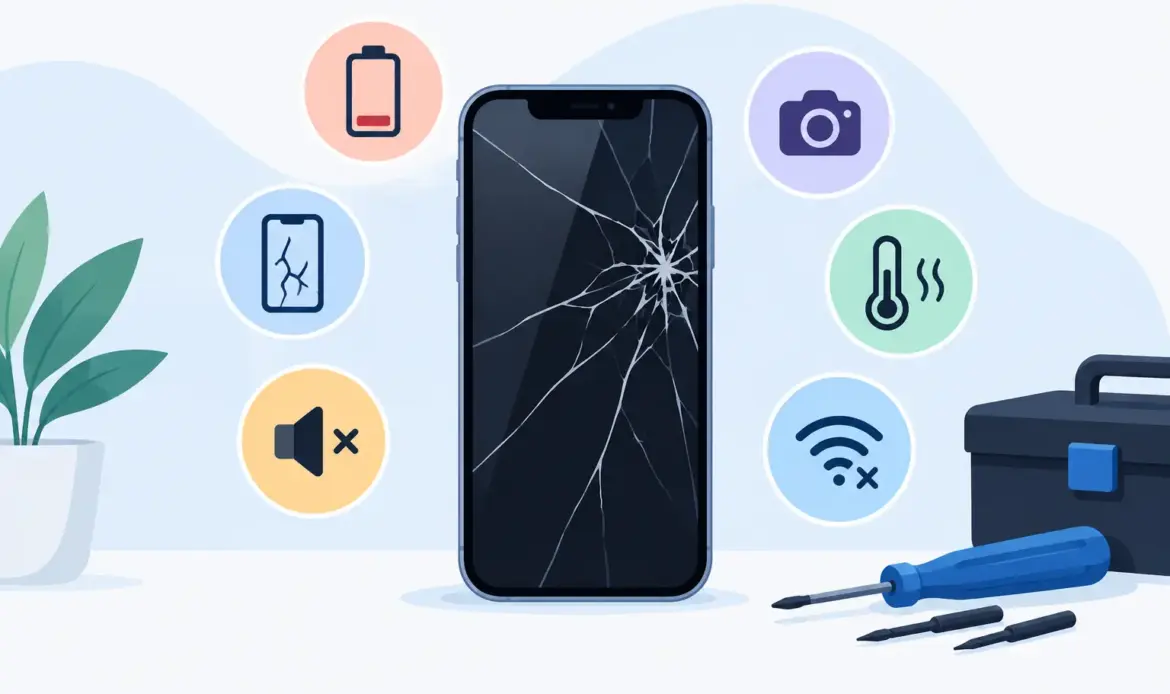
A phone rarely fails at a convenient time. It starts with a battery that barely survives lunch, a charger that only works at one angle, or a screen crack that spreads a little farther each week. Knowing the best signs phone needs repair can help you act before a minor problem turns into lost photos, missed work calls, or a device that will not turn on at all.
Your phone handles a lot: work messages, school assignments, navigation, banking, family photos, and everyday plans. When it begins acting differently, that is your cue to pay attention. Some issues are simple software glitches. Others point to worn parts, liquid damage, or an internal component that needs professional diagnosis.
1. Your screen is cracked, flickering, or unresponsive
A cracked screen is the most obvious repair warning, but appearance is only part of the story. Even a small crack can weaken the display, let moisture and debris inside, and grow after another bump or drop. If you see black spots, colored lines, flickering, dead areas, or a display that lifts away from the frame, the damage may extend beyond the glass.
Touch problems deserve attention, too. A screen that ignores taps, registers touches you did not make, or works only in certain areas can make basic tasks frustrating and unreliable. Waiting may be tempting if the phone still turns on, but a damaged display can become much harder to use with very little warning.
2. The battery drains fast or the phone shuts down unexpectedly
Battery health naturally declines over time. Still, a phone that falls from 50% to 10% quickly, needs multiple charges each day, or shuts down while showing battery remaining is sending a clear signal. You may also notice it gets unusually hot during ordinary use, such as texting, browsing, or making a call.
A worn battery is often repairable, and replacing it can give an otherwise dependable phone a second life. It is usually a more practical choice than replacing a device solely because it no longer holds a charge. However, severe heat, a swollen battery, or a screen that appears to be pushing up from the phone should be treated urgently. Stop charging and using the device until a technician can inspect it.
3. Charging only works at a certain angle
If you have to twist the cable, hold it in place, or use one specific charger to get power, do not assume the cable is always the culprit. Lint packed inside the charging port can prevent a secure connection. A worn port, bent internal pin, damaged charging flex, or board-level issue can create similar symptoms.
Try a known-good cable and power adapter first. If the problem remains, avoid forcing the connector into the port or digging inside with metal tools. That can damage the contacts and turn a manageable repair into a more involved one. A careful diagnosis can determine whether the port needs cleaning, replacement, or micro-soldering work.
4. Your phone overheats during normal use
Phones can get warm while gaming, recording video, using GPS, or charging. Constant heat during light use is different. If your phone becomes hot while sitting idle, browsing for a few minutes, or charging with a reliable cable, something may be wrong with the battery, charging system, or internal hardware.
Overheating can also appear after a drop or liquid exposure, even if the phone seemed fine at first. Heat is a protective warning, not a problem to ignore. Repeated overheating can accelerate battery wear and affect other components over time.
5. You dropped it and now something feels off
Not every drop creates a dramatic crack. A phone can look nearly perfect while developing trouble with its camera, microphone, speaker, buttons, wireless signal, or internal connections. Perhaps Face ID or fingerprint recognition stopped working, the rear camera will not focus, calls sound muffled, or the phone randomly restarts after impact.
These are among the best signs your phone needs repair because they often point to damage beneath the surface. A professional inspection is especially useful here. Certified technicians can check the full device rather than replacing a visible part and hoping the hidden issue disappears.
6. The camera, speakers, or microphone stop working right
Your phone is more than a screen. When photos come out blurry, videos shake unexpectedly, speakers crackle, or people cannot hear you on calls, daily use gets difficult fast. Software settings can occasionally cause these symptoms, so restart the phone and confirm that permissions, volume controls, and Bluetooth connections are correct.
If the trouble continues, physical repair may be needed. Camera modules can be damaged by drops. Speakers and microphones can collect debris or suffer moisture damage. Problems that appear only during calls, on speakerphone, or when recording video can help narrow down the source during diagnosis.
7. It has been exposed to water or another liquid
A phone that gets wet may seem normal for a few hours or days before corrosion begins causing trouble. Do not rely on the old rice trick. Rice cannot remove moisture trapped under shields and connectors, and turning on or charging a wet phone can create a short circuit.
Power the device off if possible, remove the case, and keep it disconnected from power. Then bring it in quickly for a proper internal inspection and cleaning. Fast action gives a water-damaged device a better chance of recovery, but outcomes depend on the type of liquid, how long it was exposed, and whether power reached the damaged area.
8. Apps crash, storage is full, or the phone feels painfully slow
Not every slow phone needs a repair. Sometimes the fix is clearing storage, updating the operating system, removing a problem app, or restarting the device. But constant freezing, boot loops, repeated error messages, or a phone that cannot complete updates may indicate failing storage, battery trouble, or deeper hardware problems.
Back up your photos, contacts, and important files as soon as you notice serious instability. A backup protects what matters most if the device gets worse before it can be diagnosed. If the phone will not stay on long enough to back up, repair may be the next best move.
9. The back cover is separating or the battery looks swollen
A separating screen or back panel is never just a cosmetic issue. It can be a sign that the battery has swollen inside the phone. You might notice a gap along the edge, a screen that no longer sits flat, or buttons that suddenly feel misaligned.
Do not press the phone closed, puncture the battery, or keep it under a pillow while charging. Swollen batteries need prompt, careful handling. This is one repair that should not wait for a more convenient week.
10. Repair costs less than replacing a phone you still like
A damaged phone does not automatically belong in a drawer. If it still meets your needs for speed, camera quality, storage, and software support, a screen, battery, charging port, or camera repair can be a smart investment. It also keeps you from having to transfer everything to a new device before you are ready.
The trade-off depends on the phone’s age, the extent of damage, and the cost of repair compared with replacement. An honest diagnosis helps you make that call. For newer phones and devices with a single clear issue, repair is often the faster, more cost-effective path back to normal.
When to bring your phone in
If your phone will not power on, will not charge, gets hot, has liquid exposure, or shows signs of battery swelling, seek help right away. For cracks, weak batteries, camera trouble, and performance problems, sooner is still better. Small failures have a habit of becoming bigger ones when a phone is used every day.
At Phone-Medics, our tech lifesavers diagnose the issue carefully and focus on restoring the device you rely on with high-quality parts and precise repair work. Your phone carries too much of your life to leave a warning sign unanswered. Catch the problem early, protect your data, and give your device the rescue it deserves.