
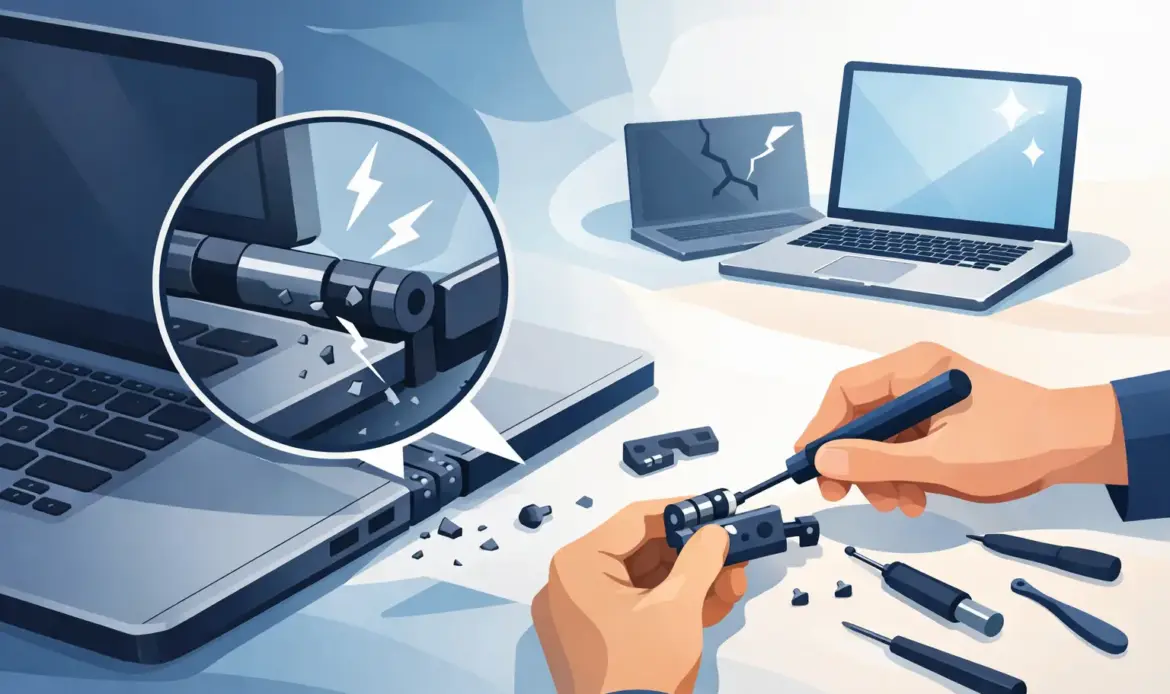
A laptop should open with one hand, stay where you set it, and close without a popping sound. When it starts fighting back, laptop hinge repair is not just about a stiff lid. A failing hinge can pull apart the case, crack the display bezel, damage the screen, and strain the delicate cables that make your display, camera, and Wi-Fi work.
That small gap beside the hinge is often the first sign that your laptop needs rescue. Catching it early can mean a focused repair. Waiting until the lid separates from the base can turn one damaged part into a much bigger operation.
What a Laptop Hinge Actually Does
Laptop hinges do more than let the screen swing open and shut. They hold the display at a usable angle while connecting the lid to the lower chassis. Nearby cables run through this tight area, carrying power and video signals to the screen and connections for items such as the webcam, antenna, and microphone.
The hinge itself may be metal, but the pieces anchoring it inside the laptop are often plastic mounting points, small screws, or thin sections of the case. Repeated opening and closing, a tight hinge mechanism, a drop, or pressure inside a backpack can cause those mounts to crack. Once the mounting points fail, the hinge twists against the housing instead of moving smoothly.
That is why a laptop can still turn on while the physical damage gets worse every time it is opened.
Warning Signs You Should Not Ignore
A broken hinge is rarely subtle for long. You may hear clicking, snapping, or creaking as you open the lid. The keyboard deck or bottom case may lift near one corner. Some owners notice the bezel around the screen separating, exposed hinge metal, loose screws, or a growing gap where the lid meets the base.
Other symptoms can point to cables being affected. The display might flicker when you adjust the screen angle, the camera may stop working, or the Wi-Fi signal may become unreliable. These issues do not always mean the hinge caused the failure, but they deserve a careful diagnosis before anyone starts replacing parts.
Do not force a stiff lid into position. It is tempting to push harder when you need to answer an email or finish a class assignment, but that pressure can crack the LCD panel or tear a cable. If the screen is already separating, open the computer as little as possible and support the base and lid evenly when you must move it.
Why Hinge Damage Gets Expensive Fast
The difference between an early repair and a late repair is usually not the hinge alone. A technician may be able to replace a worn hinge, reinforce or replace the mounting area, and reassemble the device before the display is affected. But if the hinge has pulled the screen assembly apart, the repair can also require a new bezel, display panel, back cover, cable, or bottom case.
Every laptop model is built differently. On some machines, the hinge can be serviced with individual replacement parts. On others, the mounts are molded into the palm rest or display cover, so replacing the damaged housing is the more reliable route. A good repair is not simply making the lid close today. It is restoring the structure so normal use does not reopen the damage next week.
There is a trade-off to consider with older or entry-level laptops. If the screen, case, and internal cables are all damaged, repair costs can approach the value of the device. Even then, a professional assessment is worthwhile. Your laptop may have a simple fix, and preserving your files, software setup, and familiar device can still make repair the smarter choice.
What Professional Laptop Hinge Repair Involves
A proper laptop hinge repair begins with inspection, not glue. Adhesive may look like a quick answer to cracked plastic, but it usually cannot handle the twisting force created by a tight hinge. It can also make later disassembly harder and leave residue around components that need to be serviced.
Certified technicians first check how the hinge moves and identify whether the problem is the hinge mechanism, its mounting points, the surrounding case, or more than one of these. They inspect the display cable route and test the screen, webcam, charging system, and wireless connections when damage is close to those components.
The repair may involve replacing the hinge set, screws, display housing, palm rest, bottom cover, or bezel. If the hinge is binding, it needs to be corrected before new mounting parts are installed. Otherwise, the new case can be put under the same damaging pressure right away.
After reassembly, the laptop should be opened and closed through its normal range of motion, with the screen holding its position and the case sitting flush. The device should also be tested for the functions that can be disturbed during a hinge failure. This attention to detail is what separates a lasting repair from a temporary patch.
Can You Repair a Laptop Hinge Yourself?
Some experienced owners can replace a hinge on a laptop with accessible screws and readily available parts. The job still carries real risk. Laptop displays are thin, cables are fragile, and many modern models use hidden clips, adhesive, or tightly packed assemblies. One misplaced screw can damage a board, while a torn display cable can turn a mechanical repair into a screen replacement.
DIY repair is especially risky when the case has already split, the screen is flickering, the battery is swollen, or the hinge mount has broken away from the chassis. A swollen battery can push against the case and create symptoms that resemble hinge damage, but it requires a different and more urgent repair approach.
If you choose to investigate at home, power the laptop down first, disconnect the charger, and avoid prying against the display panel. Do not use super glue near the hinge or attempt to bend a distorted hinge back into shape while it is installed. For most people, getting a quote from a local repair shop is the safer way to protect a device they rely on every day.
Protect Your Laptop After the Repair
Hinges wear over time, but a few habits can reduce unnecessary strain. Open the lid from the center rather than one corner, and use both hands if the laptop is large or the lid feels tight. Carry the computer in a padded compartment instead of loose in a bag where books, chargers, or other gear can press against the screen.
Never pick up a laptop by its display, and do not close the lid with earbuds, pens, or charging cables sitting on the keyboard. Even a small object can crack the screen or force the hinge area out of alignment. If you notice new resistance, noise, or separation after a repair, stop forcing it and have it checked while the damage is still contained.
Get the Right Fix for Your Device
For Metro Detroit laptop owners, Phone-Medics treats hinge damage like the device emergency it can become. Skilled technicians can diagnose the full problem, explain the practical repair options, and use quality replacement parts to help bring your laptop back to dependable daily use.
Your laptop carries work files, school projects, family photos, saved passwords, and the tools that keep your day moving. A loose hinge may start as an annoyance, but it does not have to become a broken screen and a lost week. Get it inspected while the rescue is still simple.