
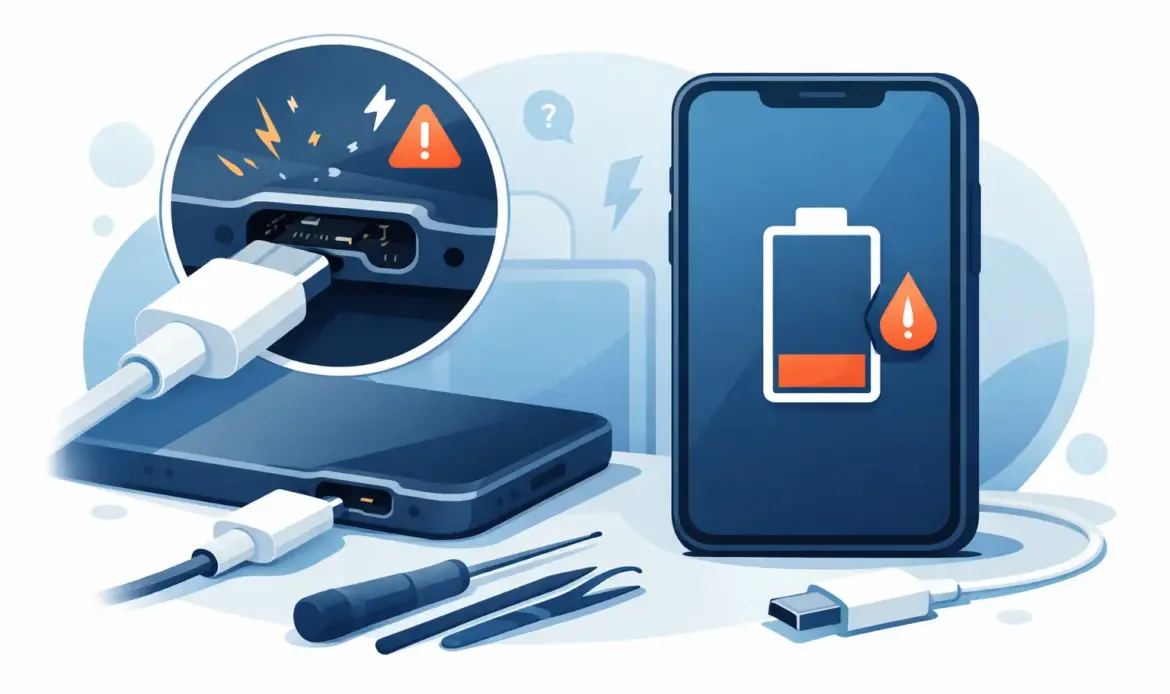
Your phone is at 3%, the cable is plugged in, and nothing happens. Or worse, it charges only when the cord is bent at exactly the right angle. That is when charging port repair moves from a minor annoyance to an urgent rescue. Your device is your alarm clock, wallet, work line, school tool, and family connection. It deserves a real diagnosis, not another cable forced into a damaged port.
Signs You May Need Charging Port Repair
A device that will not charge is not always suffering from a broken charging port. A worn-out battery, damaged charging cable, faulty wall adapter, software issue, or internal board problem can cause similar symptoms. Still, certain warning signs point strongly toward the port itself.
If the charging cable feels loose, falls out easily, or has to be held in a particular position, the port may be worn, bent, or packed with debris. If you see a charge symbol appear and disappear as the phone sits still, the connection may be unstable. A port that feels hot, looks corroded, smells burnt, or shows visible bent pins needs prompt professional attention.
Tablets, laptops, and gaming consoles can show the same trouble in different ways. A laptop may charge intermittently or display a message that its adapter is not recognized. A USB-C gaming device may stop accepting power after a drop or after use with a loose third-party cable. In each case, forcing the connector can turn a manageable repair into a more involved board-level problem.
Why Charging Ports Fail
Charging ports handle more daily wear than most people realize. Plugging in a cable twice a day adds up to hundreds of insertions every year. Small movements while using a device in bed, in the car, or at a desk put added strain on the connector and the solder joints holding it in place.
Pocket lint is one of the most common culprits. It compresses tightly into the bottom of a phone port over time, preventing the cable from reaching the contacts correctly. Dust, makeup, crumbs, and metal particles can cause the same problem. What looks like a bad charger may be a port that simply cannot make a full connection.
Water and humidity create a different kind of threat. Even if a device survived a splash and seems fine at first, moisture can corrode tiny contacts inside the port. Corrosion may spread slowly, leading to unreliable charging days or weeks later. Charging a wet device can cause a short, which is why many modern phones warn users when liquid is detected.
Physical damage matters too. A dropped phone, yanked cable, or cheap connector that fits poorly can bend internal contacts or loosen the charging assembly. On some devices, the charging port is a separate replaceable component. On others, it is soldered directly to the logic board, requiring advanced micro-soldering and a far more precise repair approach.
Start With Safe, Simple Checks
Before assuming the port has failed, test the easy possibilities without taking risks. Try a known-good cable and wall adapter, preferably one made for your device or rated for the correct charging standard. Plug into a different outlet. If possible, test the same cable on another compatible device.
Look into the charging port under bright light. You may see lint packed against the back wall or obvious corrosion. Do not use a metal pin, paper clip, knife, or anything that can scratch contacts and create a short. Avoid pouring liquid cleaners into the port. Those quick fixes can cause expensive damage in seconds.
If the device has been exposed to water, unplug it immediately and do not attempt to charge it. Turn it off if you can, remove any case, and get it evaluated. Rice is not a repair method. It does not remove corrosion from internal components, and waiting can allow damage to progress.
Wireless charging can be a useful clue for compatible phones. If a phone charges wirelessly but not through the cable, the battery and major power systems may still be functioning, making the port or its related circuitry a likely suspect. It is a clue, not a final diagnosis, but it helps narrow the search.
What a Professional Repair Actually Involves
A proper repair begins with diagnosis. A technician checks the cable, adapter, battery behavior, charge current, port condition, and signs of liquid damage. This matters because replacing a port will not solve a charging failure caused by a damaged charging chip or a failed battery.
When debris is the problem, careful professional cleaning may restore the connection without replacing parts. If the port is worn or damaged, the technician may replace the charging flex assembly or daughterboard on models built with modular components. This is often a straightforward repair when quality replacement parts are available.
Some devices require a more technical rescue. The charging port on many modern phones, tablets, laptops, and game consoles is soldered directly to the main board. Repairing it requires controlled heat, magnification, specialized tools, and precise micro-soldering. Nearby components are tiny, and improper heat can damage the board, display, battery, or data lines.
That is why a repair quote can vary. A simple port cleaning and a board-level USB-C replacement are not the same job. Device model, liquid damage, parts availability, and the condition of the surrounding circuitry all affect the cost and turnaround time. The goal should be a clear explanation of the fault and a repair path that makes sense for the age and value of your device.
Protect Your Data Before the Battery Dies
A failing port creates a second emergency: access to your information. If the device still powers on, back it up as soon as possible. Save photos, contacts, messages, work files, and authentication information while you still have battery life. Many people discover too late that a dead phone contains the only copy of a child’s photos, an important client conversation, or a two-factor login code.
Do not repeatedly plug and unplug a loose cable to squeeze out the last few percentage points. If the connector is bent or the port is overheating, each attempt can make the damage worse. A temporary wireless charger may keep a compatible phone alive long enough to make a backup, but it does not repair the underlying issue.
For laptops, back up important files to an external drive or cloud service while the battery has charge. If a laptop only runs while connected to power, avoid moving it with the cable attached. A sudden tug can damage the charging jack, cable, or internal board connection.
When Repair Is the Better Call
Replacing a device because it will not charge can be expensive, especially when the screen, camera, storage, and performance are otherwise in good shape. Charging port repair is often a practical way to get more useful life from a phone, tablet, laptop, or console. It also keeps a repairable device out of the junk drawer.
There are cases where replacement may make more sense. An older device with severe liquid damage, a failing battery, a cracked screen, and a damaged charging circuit can require multiple repairs at once. A trustworthy technician should explain the trade-offs plainly rather than push a repair that does not fit your budget or needs.
For a newer device or one that contains valuable data, a professional inspection is usually worth it. Fast diagnosis prevents guesswork, protects the device from DIY damage, and gives you a real answer before its battery reaches zero.
At Phone-Medics, certified technicians treat charging failures like the device emergency they are. Whether the problem is stubborn lint, a worn connector, corrosion, or a component-level board defect, the right repair starts with careful handling and a precise diagnosis. Bring in the device before one unreliable charge becomes a full shutdown, and give your daily tech a fair chance to come back to life.