
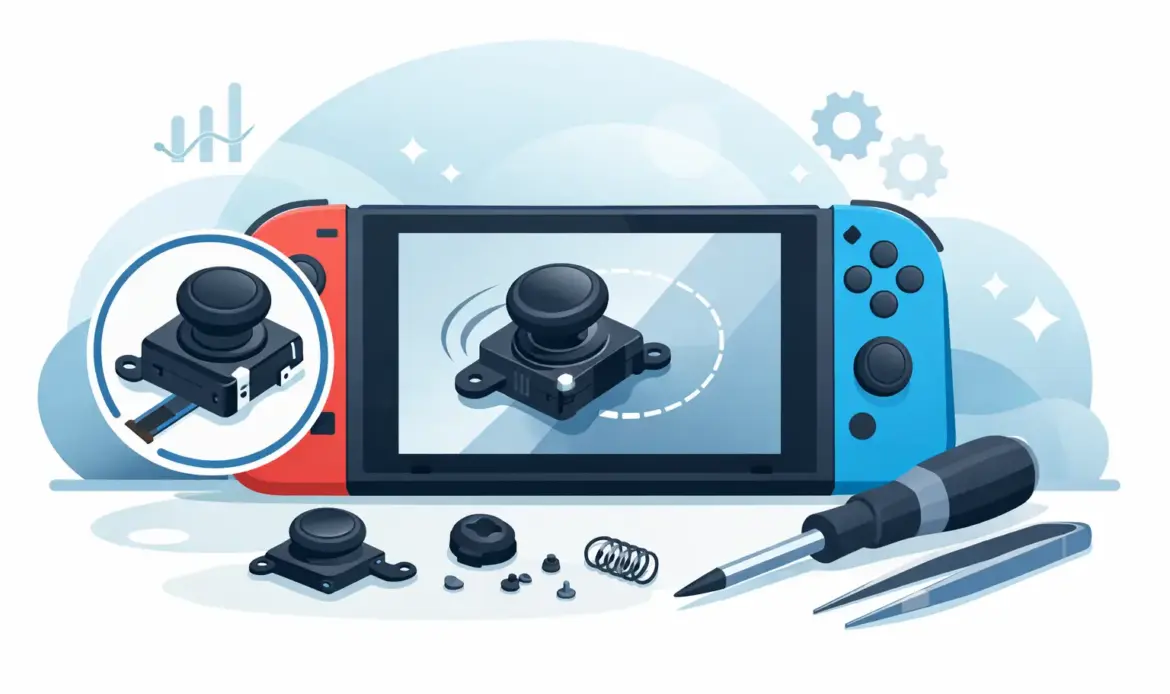
A Nintendo Switch joystick repair can be the difference between a close win and watching your character walk straight off the map. When a Joy-Con starts moving on its own, misses inputs, or feels loose under your thumb, the console is not necessarily finished. It needs a careful diagnosis and the right repair before a small control problem steals more game time.
What Nintendo Switch joystick drift really feels like
Joystick drift is the most common reason players seek Nintendo Switch joystick repair. The joystick sends movement signals even when you are not touching it. Your character may creep left, menus may scroll by themselves, or aiming may become frustratingly unpredictable.
Not every joystick problem is drift, though. A Joy-Con that will not register movement at all may have a damaged analog stick, a torn internal flex cable, a connection issue, or damage from a drop. If the stick feels unusually stiff, sunken, wobbly, or gritty, physical wear or debris may be part of the problem.
These issues can build slowly. You may first notice a slight pull in one game, then find yourself constantly correcting movement across every title. For families sharing a Switch, that can turn a favorite console into a daily frustration fast.
Try these checks before scheduling a repair
A quick check can help separate a calibration issue from a failing component. On the Switch, open System Settings, choose Controllers and Sensors, then select Calibrate Control Sticks. Follow the on-screen prompts and watch whether the displayed dot stays centered when the joystick is untouched.
If calibration resolves the issue and the stick responds normally afterward, you may be back in the game. If the dot continues to wander, cannot reach all directions, or jumps around during calibration, the joystick assembly is likely worn or damaged.
It is also worth confirming that your Joy-Con software is current and that the problem happens with the controller attached and detached from the console. A restart may clear a temporary glitch, but it will not repair a worn analog mechanism. Repeated drift after calibration is a strong sign that the controller needs hands-on attention.
Avoid spraying liquids, compressed air at close range, or household cleaners into the joystick. Those shortcuts can push contamination deeper inside or leave residue around sensitive parts. A controller is small, but its internal connectors and cables are delicate.
When Nintendo Switch joystick repair is the smart move
Replacing a Joy-Con can be convenient, but repair is often the more practical choice when the rest of the controller is in good shape. This is especially true if you have matching colors, limited-edition Joy-Cons, or multiple controllers showing the same wear. Repair can restore the control you already own without leaving a perfectly usable controller in a drawer.
Professional service also makes sense when the problem is more than ordinary drift. If the Joy-Con will not charge, does not connect reliably, has a cracked shell, or has been exposed to moisture, the joystick may only be one part of the rescue. A technician can inspect the controller as a whole instead of replacing one piece and hoping for the best.
The best option depends on the controller’s condition and the cost of repair compared with replacement. A single worn joystick is usually a straightforward fix. Severe corrosion, multiple broken components, or damage to the circuit board may call for a more detailed evaluation. Clear diagnosis protects you from paying for a fix that does not address the real cause.
Why a tiny joystick requires careful work
Joy-Con repair is not just a matter of removing a few visible screws. The housing must be opened without damaging the shell, battery, ribbon cables, antennas, or buttons. Internal cables are thin and easily torn if they are pulled, pinched, or reinstalled incorrectly.
The analog stick itself needs to sit correctly in its connector, and the controller must be tested after reassembly. A loose connection can cause no input, intermittent input, or new problems that were not there before. That is why a repair that looks simple in a video can become costly when one small cable or connector is damaged.
For gamers who enjoy electronics projects and already have the right precision tools, a DIY repair can be reasonable. The trade-off is risk and time. If your Switch is a shared household console, a child’s favorite device, or your go-to way to relax after work, professional repair can save the controller from an avoidable second emergency.
What to expect from a professional Joy-Con repair
A good repair begins with testing, not assumptions. The technician should check joystick response, calibration behavior, button function, wireless connection, charging, and the physical condition of the controller. This helps confirm whether joystick replacement is the correct repair and identifies related issues before the controller is sealed back up.
Next comes precise disassembly and replacement using high-quality parts. After the new joystick is installed, the controller should be reassembled carefully and tested again for smooth movement in every direction. Calibration verifies that the stick centers properly and responds across its full range.
At Phone-Medics, certified technicians approach game console repairs like a device rescue, not a rushed swap. The goal is to bring your controller back to reliable play with a repair that feels right in your hands. For Metro Detroit gamers, local service means you can get a real assessment of your controller instead of guessing from a product listing or mailing it away.
Turnaround time depends on the controller model, part availability, and whether there is additional damage. Standard joystick issues are often less involved than console motherboard repairs, but a proper inspection remains worthwhile. If a repair uncovers corrosion, a damaged connector, or a charging problem, you should know before moving forward.
Do not ignore a loose or drifting stick
A drifting joystick may seem like a minor annoyance, but it can become more disruptive over time. Constantly forcing the stick in the opposite direction can make games uncomfortable to play, and a loose stick can signal that the internal mechanism has worn beyond normal calibration.
The problem also affects more than competitive games. Drift can interfere with menu navigation, media apps, parental settings, and profile selection. If a controller moves on its own while a child is playing, it can look like a game issue when the hardware is actually calling for help.
Bringing the controller in earlier gives you a better chance of solving a contained problem before frustration leads to dropped Joy-Cons, improvised cleaning attempts, or an unnecessary console replacement. The Switch console itself may be perfectly healthy.
Keeping repaired Joy-Cons in better shape
No joystick lasts forever, especially in a controller used for racing games, fighting games, and long multiplayer sessions. Still, a few habits can reduce needless wear. Store Joy-Cons where they will not be crushed under bags or books, keep food and drinks away from the controls, and avoid pressing hard on the stick while attaching or removing the controller.
If your Switch travels often, use a case that keeps the Joy-Cons from being pushed sideways. For younger players, a simple reminder to set controllers down rather than toss them can make a real difference. When movement starts feeling inconsistent, run the built-in calibration check instead of waiting until the stick becomes impossible to use.
Your Switch is supposed to be the fun part of the day, not another device that needs workarounds. When the controls stop cooperating, a careful repair can put steady movement, accurate aiming, and game night back where they belong – in your hands.