
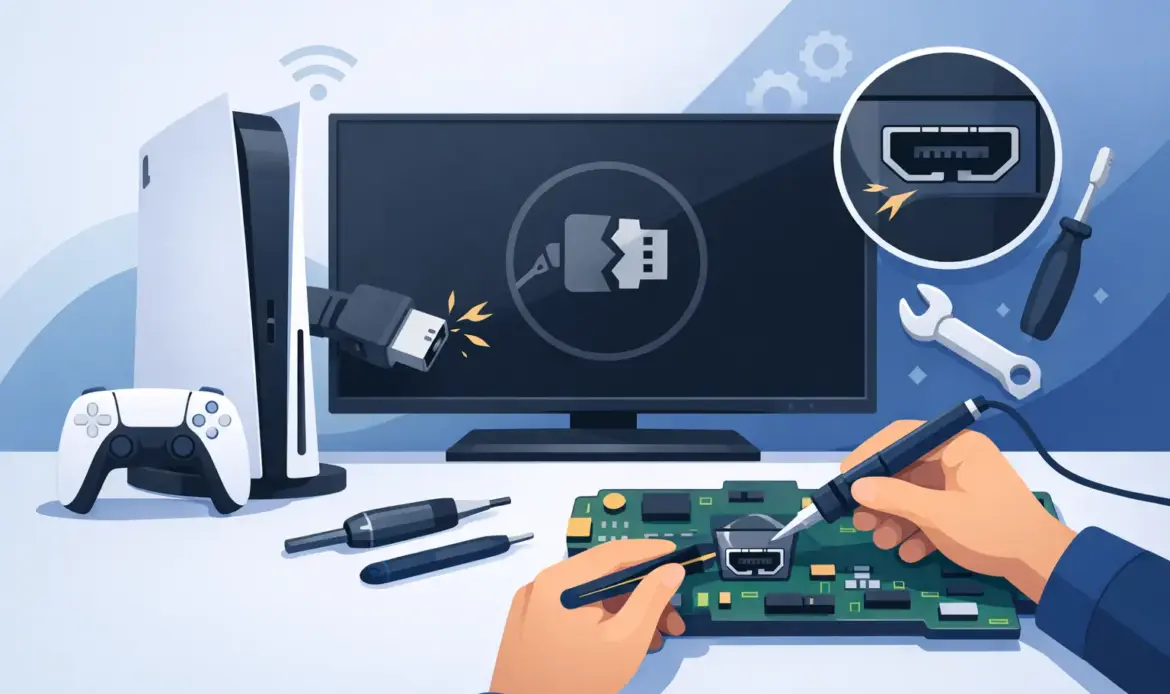
A PlayStation 5 can power on perfectly, light up like normal, and still leave you staring at a black TV screen. When a new cable, a different TV input, and a restart do not bring the picture back, PS5 HDMI port repair may be the rescue your console needs. The HDMI port is the small connection that carries video and audio from your PS5 to the display. It is also one of the most vulnerable parts of the console.
For gamers in Clinton Township and across Metro Detroit, a damaged HDMI port does not just mean a technical inconvenience. It can interrupt a campaign, take away a family movie night, or turn a long-planned gaming session into a frustrating round of troubleshooting. The good news is that a failed port often does not mean the PS5 is finished. With the right diagnosis and component-level repair, many consoles can get back in the game.
Signs Your PS5 HDMI Port Needs Repair
The clearest sign is no image on the TV even though the console appears to turn on. You may hear the startup sound, see the PS5’s power light, or hear game audio, but the display stays black or reports “No Signal.” That symptom points to the video path, although the HDMI port is not the only possible cause.
A loose HDMI cable is another warning sign. If the cable wiggles easily, only works when held at a certain angle, or drops the picture when the console is bumped, the port may have bent internal pins or broken solder connections. Flickering, colored dots, visual distortion, intermittent black screens, and a picture that cuts in and out can also indicate port damage.
Before assuming the port is bad, test a known-working HDMI cable and try another TV or monitor. Check that the cable is fully seated at both ends and inspect it for visible damage. A simple cable or input issue is far less involved than a hardware repair. But if multiple cables and displays produce the same result, professional diagnosis is the smart next move.
Why PS5 HDMI Ports Fail
HDMI ports are built for frequent use, but they are not designed to absorb side pressure, impacts, or repeated rough cable removal. A cable that gets pulled sideways can bend the tiny pins inside the port. Moving a console while the HDMI cable is still connected can put stress on the port’s solder joints. Even a tight entertainment center can create constant pressure if the cable is sharply bent behind the PS5.
Accidental drops and pet or child-related cable tugs are common culprits. So are damaged HDMI cables with bent or worn connectors. In some cases, the port looks normal from the outside, but its connections to the circuit board have cracked underneath. That is where an experienced technician and proper inspection matter.
There is also a difference between a damaged port and a deeper HDMI circuit problem. The HDMI encoder, filters, nearby components, or board traces can fail after impact, power issues, corrosion, or a previous poor-quality repair. Replacing a port without checking the surrounding circuit may not restore the signal. A real repair starts with finding the actual failure, not guessing at the most visible part.
What Professional PS5 HDMI Port Repair Involves
A proper repair is precision work. The PS5 must be opened carefully, and the board needs to be removed to access the HDMI connection. A technician inspects the port under magnification, checks the pins and solder joints, and tests the HDMI circuit to determine whether the problem is limited to the port or extends beyond it.
If the port is damaged, it is removed with controlled heat and replaced with a high-quality compatible part. The new connection is soldered at the board level, then the surrounding pads and components are inspected for damage. This is micro-soldering work, not a quick plug-and-play swap.
After reassembly, the console should be tested for a stable video signal, sound output, and a secure cable connection. A good repair is more than getting an image to appear for five seconds. The goal is dependable gameplay without flickering, signal drops, or a port that feels loose again.
Why DIY HDMI Repair Carries Real Risk
Watching a repair video can make HDMI replacement look simple. In practice, the PS5 motherboard has tightly packed components and delicate connection pads. Too much heat can lift pads from the board, damage nearby components, or warp the port area. Too little heat can lead to weak solder joints that fail again after a few uses.
DIY repair may make sense for someone with board-level soldering experience, magnification, proper hot-air equipment, and the ability to diagnose HDMI circuits. For most owners, it creates a bigger risk: turning a repairable port problem into board damage that is more difficult and expensive to correct.
Avoid forcing an HDMI cable into a damaged port or repeatedly twisting it until a picture appears. That can bend pins further and increase the chance of damaging nearby connections. If the cable does not insert smoothly or the signal only works at one angle, stop using that port until it can be inspected.
Repair or Replace Your PS5?
Whether repair is worth it depends on the console’s overall condition and the exact fault. If the PS5 works normally aside from its video connection, HDMI repair is often a practical alternative to replacing the entire system. A working console with a damaged port still has value, and restoring that port can protect your games, saved data, accessories, and investment.
The decision changes if the console has severe liquid damage, multiple board failures, or significant impact damage beyond the HDMI area. In those cases, a technician can explain the findings and help you weigh repair cost against replacement. Clear diagnosis matters because “no display” can have more than one cause.
Phone-Medics approaches console issues like the device emergencies they are. Certified technicians can inspect the hardware, perform precise micro-soldering when needed, and give you a straightforward answer about the condition of your PS5. You should know what failed, what the repair involves, and whether the fix makes sense before moving forward.
Protecting the New HDMI Port
Once the console is repaired, a few habits can reduce the chance of another port failure. Keep enough space behind the PS5 so the cable is not pressed hard against a wall. Use a good-condition HDMI cable that fits securely without forcing it. When moving the console, disconnect the cable first instead of carrying the system with cords attached.
It also helps to route cables where they will not be kicked, snagged by a vacuum, or pulled by children and pets. If your gaming setup changes often, give the HDMI cable enough slack so it does not place constant strain on the connection. Small changes can save a high-precision repair later.
A black screen does not have to be the end of your PS5. Test the simple causes first, then let a qualified repair technician take over when the evidence points to hardware. A careful HDMI repair can bring the picture back, protect the rest of the console, and put your next game night right where it belongs: on the screen.