
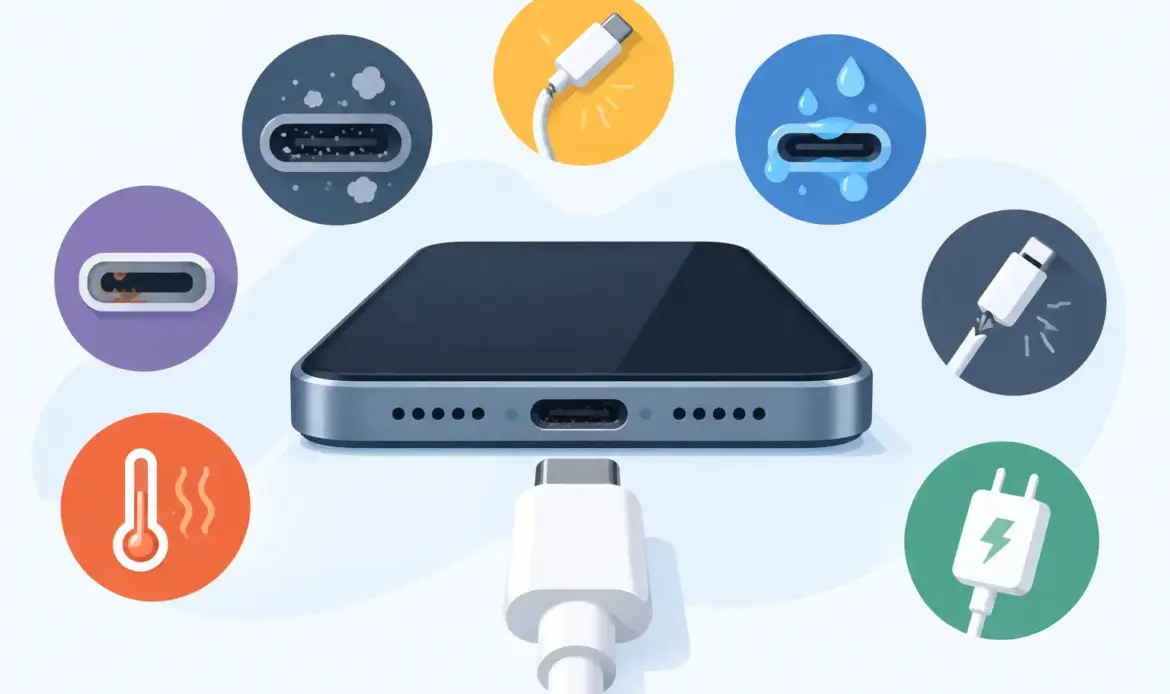
A phone that only charges at a certain angle can turn an ordinary morning into a device emergency. You plug in, wiggle the cable, hold your breath, and hope to see that battery icon. So, what causes charging port failure? Usually, it is not one dramatic event. It is the buildup of daily wear, pocket debris, moisture, cable strain, or an internal component problem that needs a trained set of hands.
Charging trouble can affect phones, tablets, laptops, gaming consoles, and other electronics. The good news is that a device that will not charge is not automatically beyond saving. A careful diagnosis can separate a simple cleaning issue from a worn charging port, a failing battery, or a board-level defect.
What Causes Charging Port Failure in Everyday Use?
Your charging port is a small opening that does a big job. Every time you connect a charger, the cable’s plug meets delicate internal contacts. Those contacts transfer power while also handling data on many devices. Repeated plugging, pulling, twisting, and accidental tugs slowly add up.
A charging port can fail because its internal pins become bent, worn down, loose, corroded, or detached from the circuit board. Sometimes the port itself is fine, but a battery, charging cable, charging brick, software setting, or charging circuit is the real culprit. That is why a professional diagnosis matters before replacing parts.
1. Pocket lint and debris
Lint is one of the most common reasons a charger suddenly feels loose. Phones spend a lot of time in pockets, purses, backpacks, cup holders, and on dusty surfaces. Tiny fibers can pack into the bottom of the port until the charging cable can no longer seat fully.
The cable may look connected while its metal contacts are barely touching. That can cause intermittent charging, slow charging, or a connection that drops whenever the device moves. Debris is often fixable, but it needs to be removed carefully. Pushing a metal object into a port can bend pins, scratch contacts, or create a short.
2. Damaged cables and charger blocks
Before assuming the port has failed, look at the charger. A cable can break internally near either connector, especially after being bent sharply, wrapped tightly, or used while the device is hanging from it. Charger blocks can fail too, particularly low-quality replacements that run hot or deliver inconsistent power.
Test with a known-good cable and wall adapter that match your device’s charging requirements. If a different charger works immediately, the port may be healthy. If every reliable charger feels loose or fails to connect, the port deserves a closer inspection.
3. Wear from daily plugging and unplugging
Charging ports are built for repeated use, but they are not indestructible. Years of connecting a cable several times a day can wear down the port’s contacts or loosen the connector housing. This is especially common on devices used heavily for work, school, gaming, navigation, or streaming.
Using a phone while it is charging increases the strain. The cable can act like a lever when the device is moved around in bed, on a couch, or in a car. One sharp pull may not cause failure, but repeated side pressure can loosen the port from the board or damage the tiny solder joints beneath it.
4. Bent or broken pins
Many charging ports contain small pins that must line up precisely with the cable. Forcing in the wrong cable, plugging in at an angle, or trying to clear debris with a pin or paper clip can bend those contacts. Once a pin is damaged, charging may become unreliable or stop completely.
Some damage is visible under magnification, while other damage is hidden inside the connector. A bent pin is not a good DIY repair project. The wrong tool or too much force can turn a repairable port issue into a more involved board repair.
5. Water, humidity, and corrosion
Water damage does not always look like a soaked phone. A splash near the sink, rain exposure, sweat during a workout, humidity in a bathroom, or a drink spill can leave moisture inside the charging port. When electricity and moisture meet, corrosion can begin on the contacts and spread to nearby components.
Your device may show a moisture warning, refuse to charge, charge slowly, or become warm near the port. Do not keep plugging it in and hoping for the best. Power running through a wet or corroded port can cause additional damage. Let the device dry in open air, avoid heat sources such as hair dryers, and have it inspected if the problem remains.
6. A failing battery or charging circuit
Not every charging problem starts at the port. An aging battery may no longer hold a charge, even if the device recognizes the cable. A damaged charging chip or power-management circuit can also prevent a healthy port from delivering power to the battery.
This is where symptoms tell a story. If the charging symbol appears but the percentage never rises, the battery may be depleted or failing. If the device gets unusually hot, restarts while charging, or refuses every known-good charger, there may be an internal power issue. Advanced micro-soldering may be needed when the fault reaches the circuit board.
7. Drops and impact damage
A hard drop can damage the charging assembly without leaving a crack near the port. Internal connectors can shift, solder joints can fracture, and the circuit board can flex under impact. If charging trouble started right after a fall, do not ignore that timing.
A case can help absorb some impact, but it cannot prevent every internal failure. The sooner a post-drop charging issue is diagnosed, the better the chance of stopping a small connection problem from becoming a complete no-power situation.
Signs Your Charging Port Needs Attention
A failing port rarely goes from perfect to completely dead without warning. The biggest clue is a cable that no longer clicks or sits securely. You may need to hold it in a certain position, or charging may start and stop with the slightest movement.
Other warning signs include slow charging with reliable equipment, a port that feels hot, visible discoloration, a device that only charges wirelessly, or repeated accessory-not-supported messages. Do not ignore a burning smell, sparking, swelling battery, or excessive heat. Disconnect the charger and seek service promptly.
What You Can Safely Check at Home
Start with the least invasive test. Restart the device, remove any case that interferes with the cable, and try a certified or manufacturer-quality cable and wall adapter. Check the port under bright light for obvious lint, but avoid inserting metal tools, liquids, compressed air at close range, or anything sharp.
If the device recently got wet, stop charging it until it has had time to dry. Rice is not a reliable repair method and can introduce more debris. If the cable will not fit firmly, if the device charges only intermittently, or if there are signs of corrosion, it is time for a professional inspection.
When a Professional Repair Is the Smart Move
A trained technician can test the charging cable, adapter, battery health, port connection, and internal charging circuit instead of guessing. Sometimes a precision cleaning restores the connection. Other times, the solution is a charging port replacement, battery replacement, or component-level repair.
Phone-Medics approaches charging failures like the device emergency they can become: with careful diagnosis, high-quality replacement parts, and repair options built around getting your essential tech back in action. That matters when your phone holds your work contacts, school apps, family photos, authentication codes, and daily schedule.
A charging problem is worth addressing while it is still a charging problem. Bring in the device before you are stuck at 1 percent, and give your tech a real chance to come back to life.