
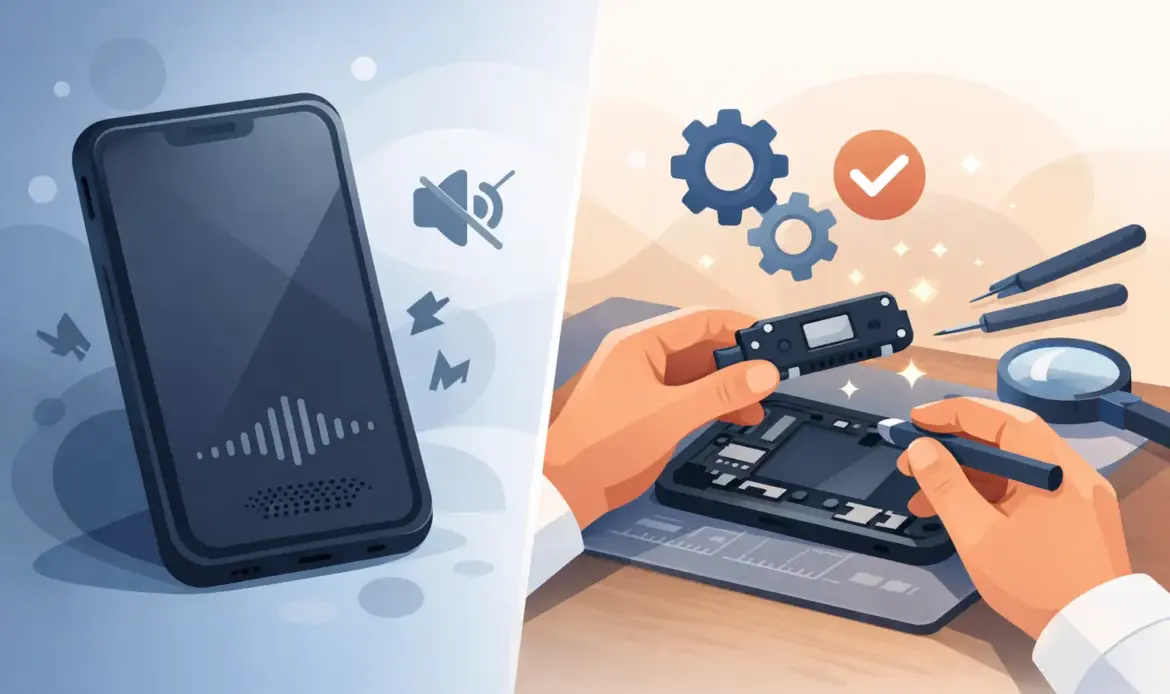
When a call comes through but you can barely hear it, or your phone suddenly goes silent during a video, the problem is more than an inconvenience. Your phone is how you manage work, family, school, directions, and emergencies. A proper phone speaker not working repair starts with finding out whether the issue is a simple blockage, a software setting, or a damaged internal component.
The good news is that many speaker problems can be fixed without replacing the whole phone. The key is avoiding quick fixes that turn a small sound issue into a bigger repair. A speaker grille is delicate, and the components behind it are even more so.
Is the Speaker Actually the Problem?
Phones use more than one speaker. The small earpiece at the top of the screen handles regular calls. The louder bottom speaker handles music, videos, speakerphone calls, alarms, and notifications. Some phones also use both speakers together for stereo sound.
That distinction matters. If you can hear videos but cannot hear someone during a normal call, the earpiece speaker may be failing rather than the bottom loudspeaker. If calls sound fine when held to your ear but music and ringtones are silent, the bottom speaker or its connection may need attention.
A few symptoms can point toward the source of the trouble. Muffled, low-volume audio often comes from debris in the speaker mesh. Crackling or distorted sound can signal moisture damage, a torn speaker diaphragm, or a failing component. Complete silence can be caused by settings, a Bluetooth connection, a software fault, physical damage, or an internal board-level issue.
Safe Checks Before a Phone Speaker Not Working Repair
Before bringing in your device, take a minute to rule out the easy stuff. Turn the volume up while a video or ringtone is actively playing. Many phones have separate volume controls, so raising the call volume does not always raise media volume.
Next, check Bluetooth. Your phone may be sending audio to wireless earbuds, a car system, or a speaker you forgot was connected. Turn Bluetooth off temporarily, then play a video again. Also make sure Do Not Disturb, Silent Mode, and Focus settings are not affecting the alert you expect to hear.
Restarting the phone is worth trying, especially if the sound problem appeared after an app update, system update, or a freeze. A restart can clear a temporary software conflict without changing your photos, messages, or apps.
Remove the case, too. A shifted case, thick debris around the bottom edge, or a screen protector installed too close to the top earpiece can partially block sound. If your device has recently been exposed to water, stop charging it and avoid blasting audio at maximum volume. That can put extra stress on a wet or damaged speaker.
Why Cleaning the Speaker Can Go Wrong
Pocket lint, makeup, dust, and dried moisture can clog speaker grilles over time. It is tempting to dig at the opening with a pin, paper clip, toothpick, or needle. That is where a simple cleaning job can become a repair visit.
The mesh and speaker assembly sit close together. Pushing a sharp object through the grille can puncture the mesh, damage the speaker, or force debris farther inside. Compressed air can also drive moisture or particles into the phone rather than out of it.
If there is only light surface dust, use a clean, dry, soft-bristled brush and gentle strokes across the grille. Do not apply liquid directly to the opening. If sound is still muffled afterward, the blockage may be underneath the mesh, or the speaker itself may already be damaged. That is a better moment for professional diagnosis than more aggressive cleaning.
Common Causes of Silent or Distorted Phone Audio
Dirt and debris buildup
This is one of the most common causes of weak audio, especially on phones carried in pockets, purses, work bags, or cars. The sound may be present but noticeably quieter, as though it is playing behind a wall.
Water and moisture exposure
A phone does not need to be dropped in a pool to develop moisture-related speaker trouble. Rain, spilled drinks, bathroom humidity, sweat, and wet countertops can all create problems. Water resistance helps in certain conditions, but it is not a permanent guarantee against damage, especially after the phone has been dropped or opened before.
Drop damage and loose connections
After a fall, the outside of a phone can look perfectly fine while a speaker module, flex cable, connector, or solder joint has been knocked loose. This is particularly common when sound stops immediately after a drop or becomes intermittent when the phone is moved.
Failed speaker hardware
Speakers wear out. Repeated high-volume use, age, heat, and prior moisture exposure can weaken the component until it crackles, rattles, or produces no sound at all. Replacing the speaker module is often a practical repair when the rest of the phone is in good shape.
Software, charging port, or board-level faults
Not every audio issue starts at the speaker. A software bug may affect sound output. On some devices, damage around the charging port or headphone detection circuitry can make the phone behave as if headphones are plugged in. More complex cases may involve audio circuitry on the logic board, which calls for precise component-level diagnosis and micro-soldering rather than guesswork.
When Professional Repair Is the Right Call
If basic settings checks and gentle surface cleaning do not restore sound, it is time to have the device inspected. This is especially true when the issue followed water exposure, a drop, a charging problem, or a previous repair. Those clues help a technician identify whether the speaker is the real failure or simply the first symptom you noticed.
A quality diagnosis protects you from paying for the wrong repair. Replacing a speaker will not solve a damaged audio circuit, and a factory reset will not repair a loose connector after a drop. A technician can test the earpiece, loudspeaker, microphones, Bluetooth output, charging system, and relevant internal connections before recommending the next step.
There is also a practical cost question. If your phone is otherwise dependable, speaker replacement can be far less expensive than replacing the device, transferring everything to a new phone, and setting up all your accounts again. On the other hand, if the phone has major water damage, battery swelling, repeated restarts, and several failing functions, a technician should give you a clear, honest assessment of whether repair makes sense.
What a Reliable Speaker Repair Should Include
A dependable repair is not just swapping a part and hoping for sound. The phone should be tested before the repair to confirm the fault, then tested again afterward with calls, media playback, alerts, and speakerphone functions. If the phone has separate top and bottom speakers, both should be checked.
High-quality replacement parts matter because a low-grade speaker can sound weak, distort quickly, or fail early. Careful reassembly matters, too. Modern phones are tightly packed, and opening one incorrectly can affect screens, batteries, seals, cameras, and charging components.
At Phone-Medics, certified technicians approach a silent or muffled phone like the device emergency it is. The goal is straightforward: identify the real cause, use quality parts when replacement is needed, and get your phone back to doing its job without unnecessary delays.
Protecting Your Phone’s Sound After Repair
Once your speaker is working again, a little prevention goes a long way. Keep the phone away from loose dust and moisture when possible, wipe the exterior with a dry microfiber cloth, and avoid using sharp objects to clean the grilles. A protective case can reduce the chance that the next drop turns into an internal connection problem.
If audio suddenly changes after a spill or fall, do not wait for it to get worse. Early diagnosis can prevent corrosion, catch a loose connection, and give your phone a much better chance of making a full recovery. Clear sound is not a luxury when your device keeps your day moving – it is one more reason to rescue the phone you already rely on.